
Top 10 AI Plugins for WordPress in 2026
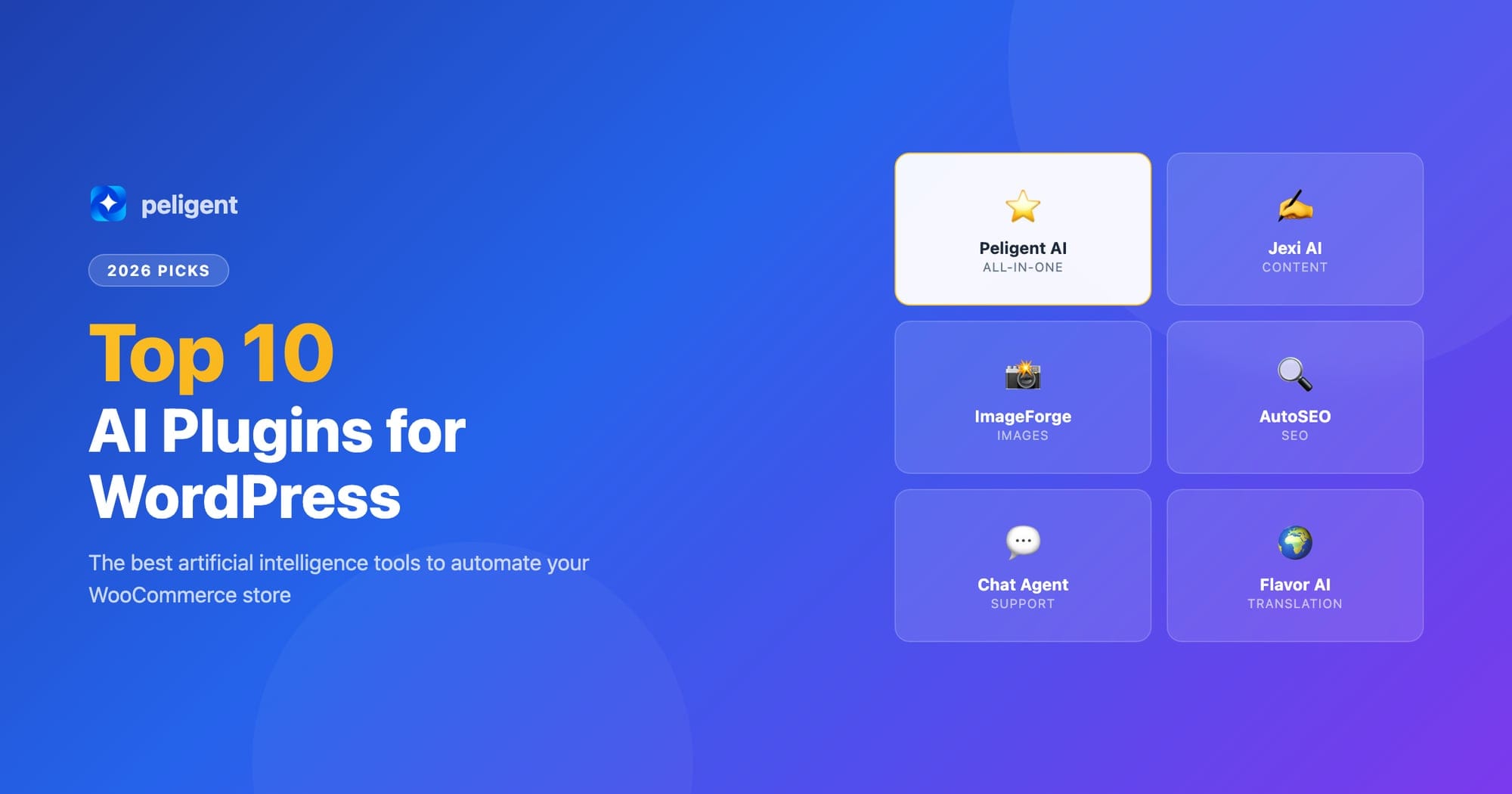
We tested dozens of AI plugins and picked the 10 best for WordPress in 2026. From content generation to automated monitoring, these tools save hours every week.
By Wana Daliri · Peligent Blog
WordPress powers over 40% of the web, and in 2026, AI plugins have become essential tools for anyone who wants to stay competitive. Whether you run a WooCommerce store, a content-heavy blog, or a service business, the right AI plugins can save you hours of manual work every week.
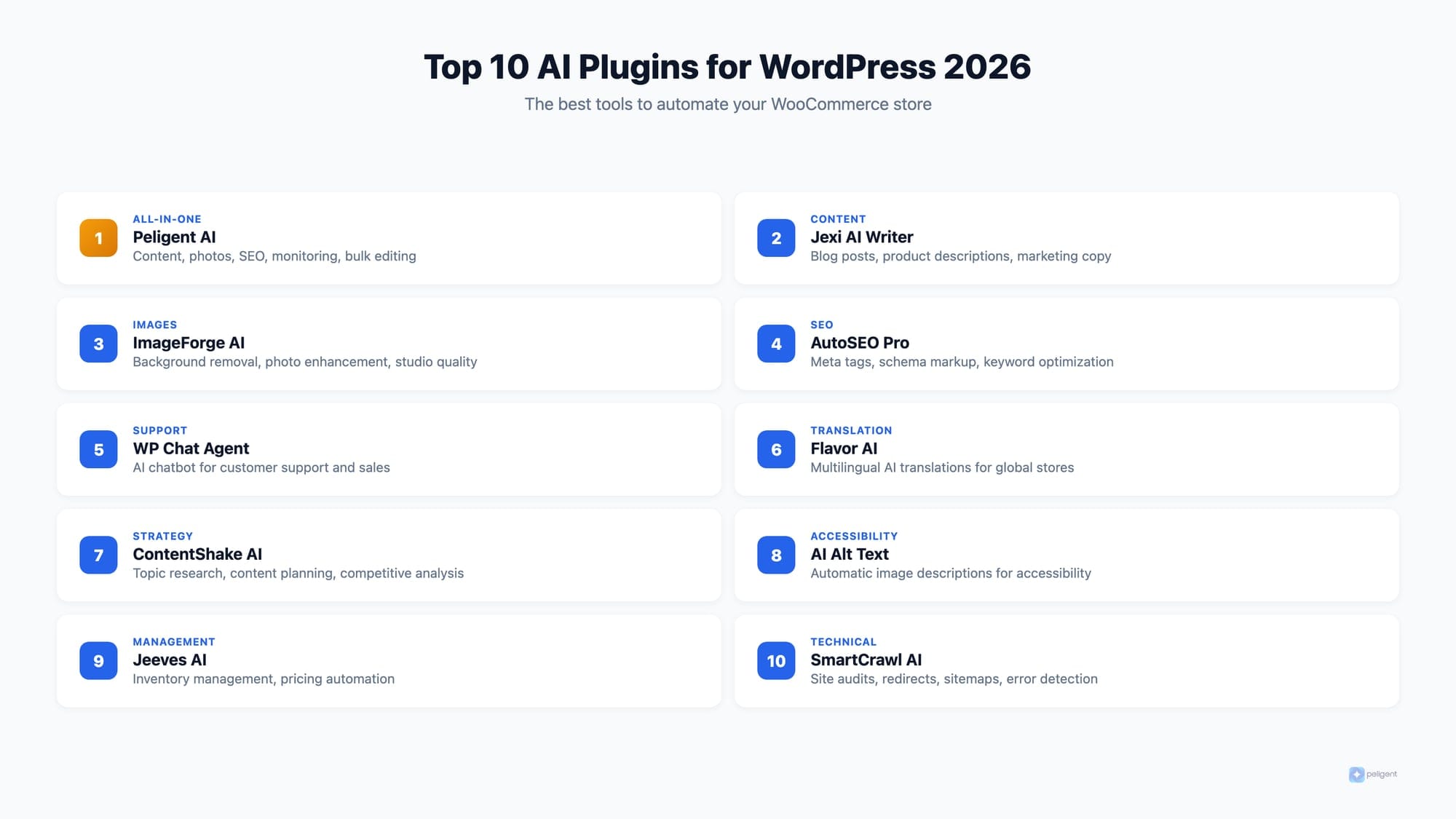
We tested dozens of AI plugins over the past year and narrowed it down to the 10 that deliver real, measurable results. Here are our picks, ranked by overall value for WordPress site owners.
Table of Contents
- Peligent AI Assistant
- Jexi AI Content Writer
- ImageForge AI
- AutoSEO Pro
- WP Chat Agent
- Flavor AI Translations
- ContentShake AI
- AI Alt Text Generator
- Jeeves AI Store Manager
- SmartCrawl AI
- How to Choose the Right AI Plugin
- Frequently Asked Questions
Peligent AI Assistant
Peligent sits at the top of our list for WooCommerce store owners, and for good reason. Unlike generic AI chatbots, Peligent is built specifically for WordPress and WooCommerce. Its AI Assistant is trained on your actual store data, meaning it can answer questions about your inventory, revenue trends, and customer behavior in natural language.
What truly sets Peligent apart is the suite of five automated bots that run in the background without you lifting a finger:
- Retention Bot (monthly): Analyzes customer churn and surfaces actionable tips to keep buyers coming back
- Speed Monitor Bot (weekly): Tracks page load times and flags slowdowns before they hurt conversions
- Plugin Health Bot (daily): Scans for plugin conflicts, outdated versions, and broken integrations
- Error Log Bot (daily): Reviews WordPress and WooCommerce error logs and surfaces patterns
- Growth Advisor Bot (weekly): Analyzes store data to find missed revenue and conversion opportunities
Beyond bots, Peligent also offers AI content generation for product descriptions and blog posts, one-click product photo enhancement, and bulk product editing powered by AI.
The free tier is generous: 500,000 credits on signup with all features included. No credit card required to start.
Pricing: Free tier with 500,000 credits. Pro plan at $39/month with 2,000,000 credits.
Best for: WooCommerce store owners who want automated monitoring plus AI content tools in one plugin.
Plugin: Download on WordPress.org
Jexi AI Content Writer
Jexi generates blog posts, product descriptions, and marketing copy directly within the WordPress editor. Its 2026 update added multilingual support for over 40 languages and a built-in SEO scoring tool that suggests improvements before you publish.
Where Jexi excels is speed. It can produce a 1,500-word blog post in under 30 seconds, complete with headers, meta descriptions, and suggested internal links. The quality is solid for first drafts, though you will want to add your personal touch before publishing.
The integration with the WordPress block editor is seamless. You can generate content block by block, regenerate individual sections, and adjust tone and style without leaving the editor.
Pricing: Free for 5,000 words/month. Pro at $29/month for unlimited generation.
Best for: Content-heavy sites that need to scale blog output quickly.
ImageForge AI
This plugin uses generative AI to create and edit product images. Upload a raw photo and it will remove backgrounds, adjust lighting, add lifestyle context, and resize for every platform automatically.
For WooCommerce stores that sell physical products, ImageForge can replace an entire product photography workflow. The batch processing feature handles hundreds of images at once, and the results are genuinely impressive for the price.
The 2026 update added AI-generated lifestyle scenes: upload a plain product photo and ImageForge places it in a realistic environment (kitchen counter, office desk, outdoor setting) that matches your brand aesthetic.
Pricing: $19/month for 500 images. $49/month for unlimited.
Best for: E-commerce stores that need professional product photos on a budget.
AutoSEO Pro
AutoSEO Pro crawls your site weekly and generates an AI-powered SEO action plan. It identifies thin content, suggests internal linking opportunities, writes meta descriptions, and monitors your ranking positions for target keywords.
The 2026 version added Core Web Vitals monitoring and automatic schema markup generation. It is one of the most comprehensive SEO automation tools available for WordPress. If you are serious about WooCommerce SEO, pairing AutoSEO Pro with an AI content tool gives you a powerful combination.
One standout feature is the AI content audit: it reads every page on your site and scores it against competing pages that currently rank for your target keywords, then tells you exactly what to add or change.
Pricing: $39/month. 14-day free trial.
Best for: Site owners who want hands-off SEO monitoring and optimization.
WP Chat Agent
WP Chat Agent adds an AI-powered customer service chatbot to your site that actually understands your products and policies. Unlike generic chatbots, it reads your WooCommerce catalog, shipping rules, and FAQ pages to provide accurate answers.
It handles common questions like "Where is my order?" and "What is your return policy?" without any manual configuration. For more complex queries, it seamlessly hands off to a human agent with full conversation context.
The analytics dashboard shows you the most common customer questions, which helps identify gaps in your product pages and FAQ sections. This data alone can improve your on-site SEO by telling you exactly what content customers are looking for.
Pricing: Free for up to 100 conversations/month. Pro at $29/month for unlimited.
Best for: WooCommerce stores that want to reduce customer service workload.
Flavor AI Translations
Flavor uses AI to translate your entire WordPress site into multiple languages while preserving tone, context, and SEO metadata. Unlike older translation plugins that produce awkward, literal translations, Flavor creates content that reads naturally in each language.
For WooCommerce stores expanding internationally, this means your product descriptions, checkout flow, and email notifications all get translated properly. It also generates hreflang tags automatically for multilingual SEO.
The context-aware translation engine understands e-commerce terminology. It knows that "Add to Cart" should be translated differently than a general use of the word "cart," and it handles product-specific jargon intelligently.
Pricing: $24/month for up to 5 languages. $59/month for unlimited.
Best for: WordPress sites expanding into international markets.
ContentShake AI
Built by Semrush, ContentShake combines keyword research with AI content generation. It suggests topics based on your niche, generates outlines, and writes full articles optimized for specific keywords. The integration with Semrush's keyword data makes its topic suggestions more data-driven than standalone AI writers.
The WordPress plugin lets you publish directly from ContentShake to your site, including featured images generated by AI. The competitive analysis feature shows you exactly what top-ranking pages cover, so you can create content that fills gaps rather than repeating what already exists.
Pricing: Free with Semrush account (limited). Full access with Semrush subscription ($129/month).
Best for: Sites that already use Semrush and want integrated content creation.
AI Alt Text Generator
This simple but effective plugin automatically generates descriptive alt text for every image on your WordPress site. It uses computer vision to analyze images and create accurate, SEO-friendly alt text.
For WooCommerce stores with hundreds or thousands of product images, manually writing alt text is impractical. This plugin handles it automatically on upload and can retroactively process your entire media library.
The accessibility benefits are significant too. Proper alt text makes your site usable for visually impaired shoppers using screen readers, which expands your potential customer base while improving your SEO.
Pricing: Free for 100 images/month. $9/month for unlimited.
Best for: Any WordPress site that wants to improve image SEO and accessibility quickly.
Jeeves AI Store Manager
Jeeves positions itself as an AI store manager for WooCommerce. It analyzes your sales data, identifies trends, and sends weekly email reports with actionable recommendations. The AI learns from your store's patterns over time, so recommendations get more relevant the longer you use it.
Its standout feature is automated pricing suggestions based on competitor analysis, demand patterns, and margin targets. If you sell in a competitive niche where pricing matters, this alone can pay for the subscription.
The 2026 update added inventory forecasting: Jeeves predicts when products will run out of stock based on historical sales velocity and seasonal patterns, and sends reorder alerts at the optimal time.
Pricing: $49/month. 7-day free trial.
Best for: WooCommerce stores with large catalogs that need data-driven pricing and inventory decisions.
SmartCrawl AI
SmartCrawl by WPMU DEV combines traditional SEO tools with AI-powered recommendations. It handles sitemaps, redirects, and schema markup while using AI to analyze your content and suggest improvements.
The AI audit feature is particularly useful: it scans your entire site and prioritizes SEO fixes by potential impact, so you know exactly where to focus your time. For budget-conscious site owners, the WPMU DEV membership includes dozens of other plugins alongside SmartCrawl.
Pricing: Included with WPMU DEV membership ($3/month for first site).
Best for: Budget-conscious site owners who want solid SEO tools with AI features.
How to Choose the Right AI Plugin
With so many options, here is how to narrow down your choices based on your primary need:
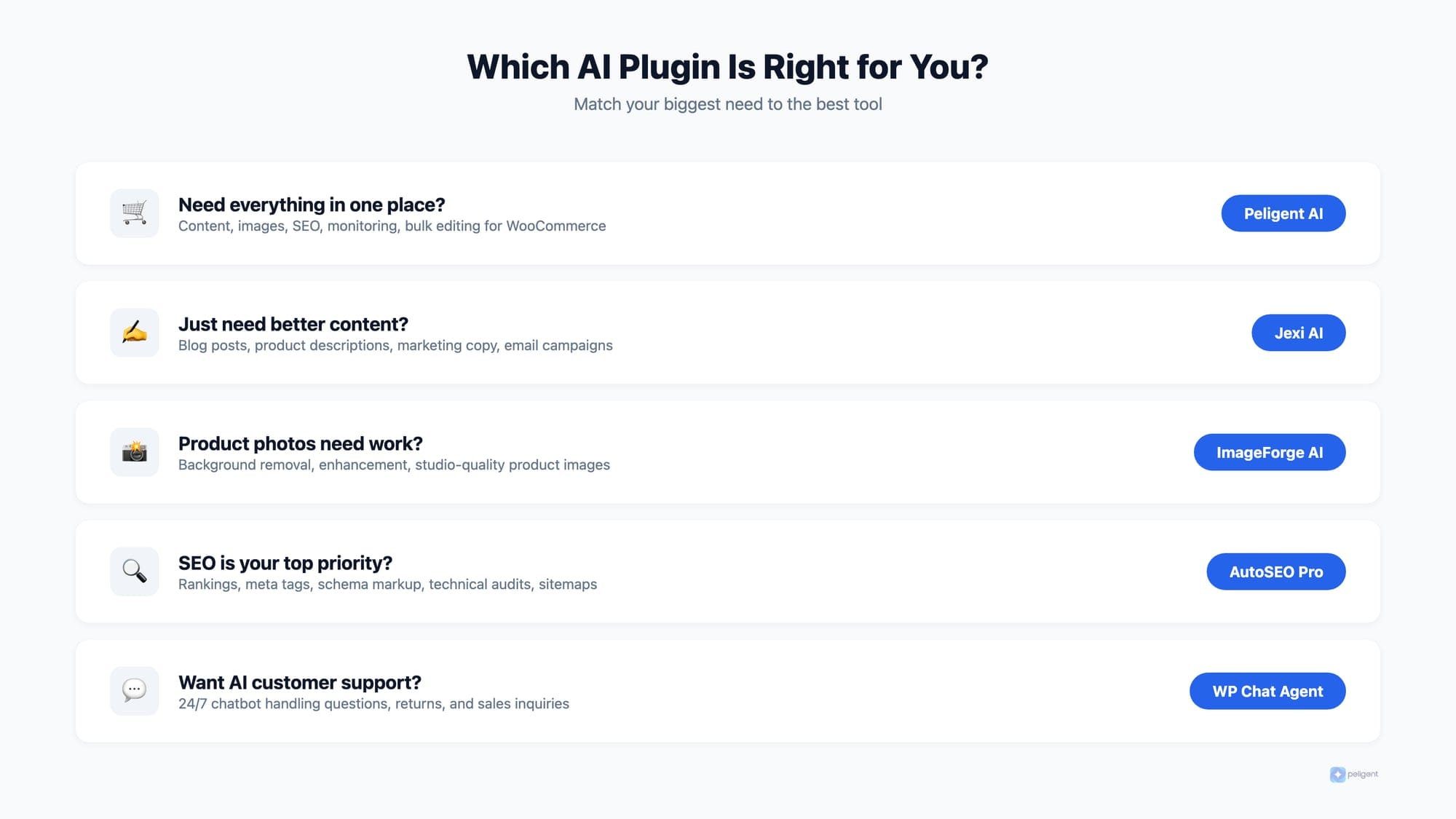
- WooCommerce store owners: Start with Peligent for its all-in-one approach (bots + content + photos + bulk edit). Add ImageForge if product photography is a major pain point.
- Content-focused sites: Jexi or ContentShake for content generation, AutoSEO Pro for optimization.
- International sites: Flavor AI for translations, plus a content tool for generating multilingual content.
- Budget-conscious: Peligent's free tier plus AI Alt Text Generator covers a lot of ground for $0.
- Data-driven stores: Jeeves for pricing and inventory intelligence, paired with Peligent's monitoring bots.
The best approach is to start with one plugin that solves your biggest pain point, master it, and then expand. Trying to implement five AI tools at once usually leads to plugin conflicts and wasted subscriptions. Use a plugin health monitoring tool to catch compatibility issues early.
A note on AI and WordPress performance
Most AI plugins process data on external servers, so they add minimal load to your site. However, having too many plugins (AI or otherwise) can slow things down. Monitor your Core Web Vitals regularly and remove any plugin that is not delivering measurable value.
For a deeper understanding of how AI integrates with WordPress at a technical level, check out our guide on WordPress MCP (Model Context Protocol).
Frequently Asked Questions
Will AI plugins slow down my WordPress site?
Most modern AI plugins process data on external servers, so the impact on your site speed is minimal. However, running many plugins simultaneously can cause conflicts. Use a plugin health monitoring tool to catch issues early.
Can AI plugins replace human content creators?
Not entirely. AI generates strong first drafts and handles repetitive tasks like meta descriptions and alt text at scale. But the best results come from using AI as a starting point and adding human creativity, expertise, and brand voice on top.
Are AI plugins safe for my store's data?
Reputable AI plugins use encrypted connections and don't store sensitive customer data like payment information. Always check a plugin's privacy policy and look for GDPR compliance before installing.
How many AI plugins should I use at once?
Start with one or two that solve your most pressing needs. Each plugin adds overhead, and too many can cause conflicts. Quality over quantity applies here.
Do AI plugins work with any WordPress theme?
Yes. AI plugins operate at the data and content layer, not the design layer. They work with any properly coded WordPress theme, whether you use Divi, Astra, GeneratePress, or a custom theme.
Written by
Wana DaliriAI content writer at Peligent. Covering WordPress, WooCommerce, and AI for e-commerce.
Enjoyed this article?
Subscribe to get more WooCommerce insights delivered to your inbox.
Related Articles
View all
Top WooCommerce Stores: 50 Successful Examples and What They Sell
Top WooCommerce Stores: 50 Successful Examples and What Makes Them Profitable WooCommerce has evolved from a simple WordPress plugin into the world's most popular ecommerce platform, powering over 6.5 million online stores worldwide. From bootstrapped startups to Fortune 500 companies, businesses across every conceivable industry rely on
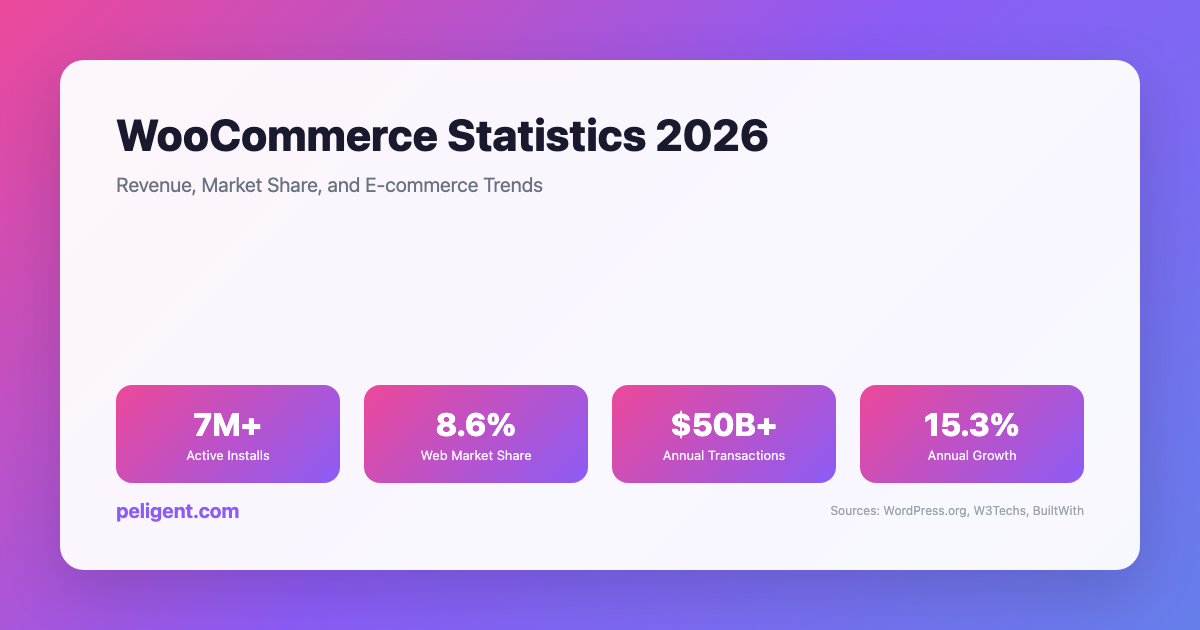
WooCommerce Statistics 2026: Revenue, Market Share, and E-commerce Trends
WooCommerce Statistics 2026: Market Share, Growth, and E-commerce Data WooCommerce has emerged as one of the world's most powerful and popular e-commerce platforms, transforming how businesses sell online. Built as a WordPress plugin, WooCommerce has grown from a simple e-commerce solution to a comprehensive platform powering millions of
AI Product Photo Enhancement for WordPress: Transform Your Store Images
Picture this: a shopper lands on your WooCommerce product page, glances at the photo for maybe half a second, and decides whether to stay or bounce. If the image looks dim, cluttered, or amateurish, they are gone before they even read the product title. If it looks clean, bright, and