
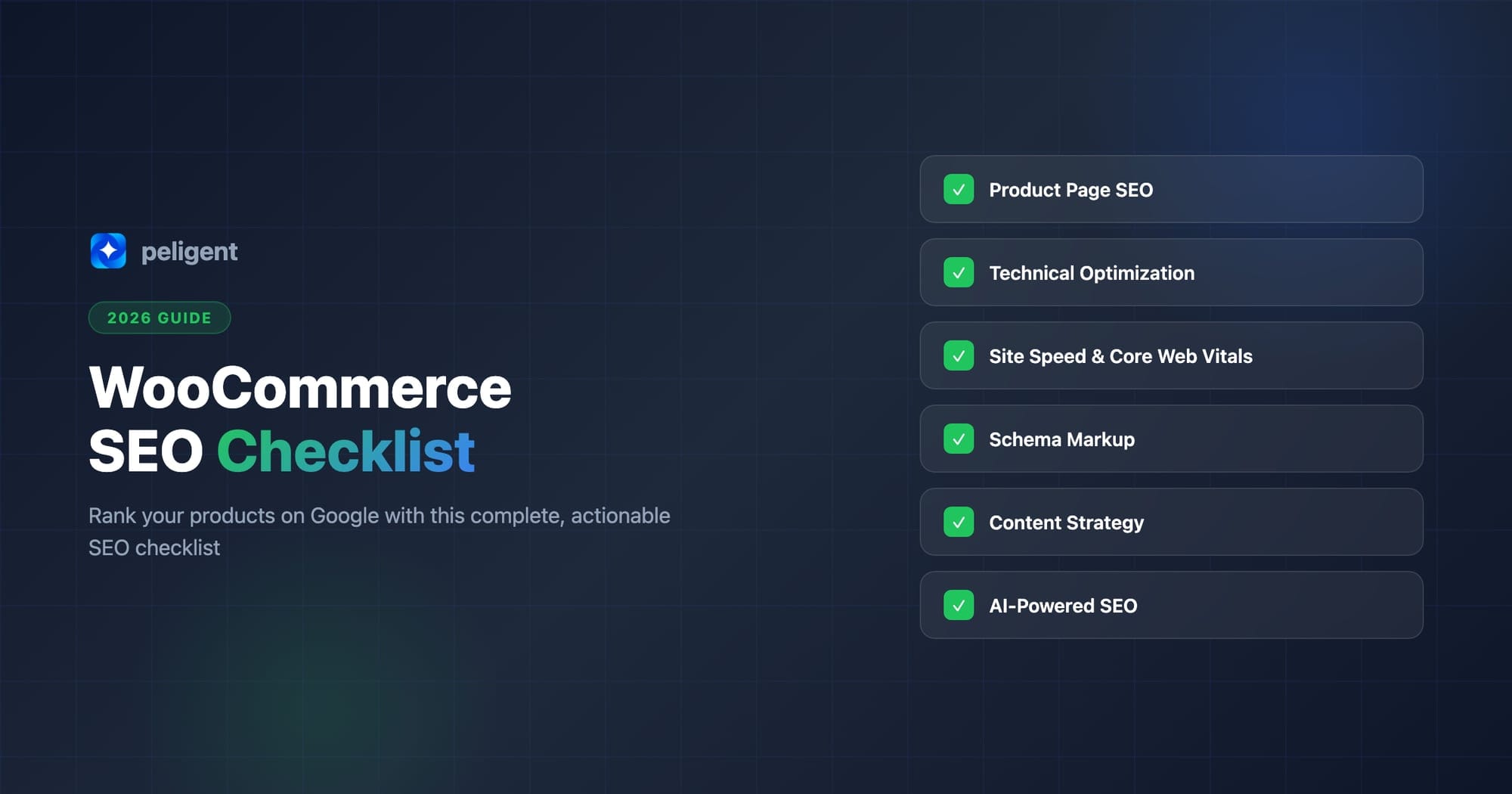
WooCommerce SEO Checklist: How to Rank Your Products on Google
A complete, actionable SEO checklist for WooCommerce store owners. From product page optimization to Core Web Vitals, everything you need to rank higher on Google.
By Wana Daliri · Peligent Blog
If you run a WooCommerce store, you already know that having great products isn't enough. If shoppers can't find you on Google, those products might as well not exist. The good news? WooCommerce runs on WordPress, which gives you one of the strongest SEO foundations in e-commerce. The challenge is knowing exactly what to optimize.
This checklist breaks down every step you need to take, from product page basics to advanced technical SEO, so you can start ranking higher and driving more organic traffic to your store.
Table of Contents
- WooCommerce SEO Fundamentals
- Product Page Optimization
- Category and Tag Strategy
- Technical SEO Checklist
- Site Speed and Core Web Vitals
- Scaling SEO with AI
- Content Marketing for WooCommerce Stores
- Security and SSL
- Quick Reference: The Complete Checklist
- Putting It All Together
- Frequently Asked Questions
WooCommerce SEO Fundamentals
Before touching individual product pages, make sure your store's foundation is solid.
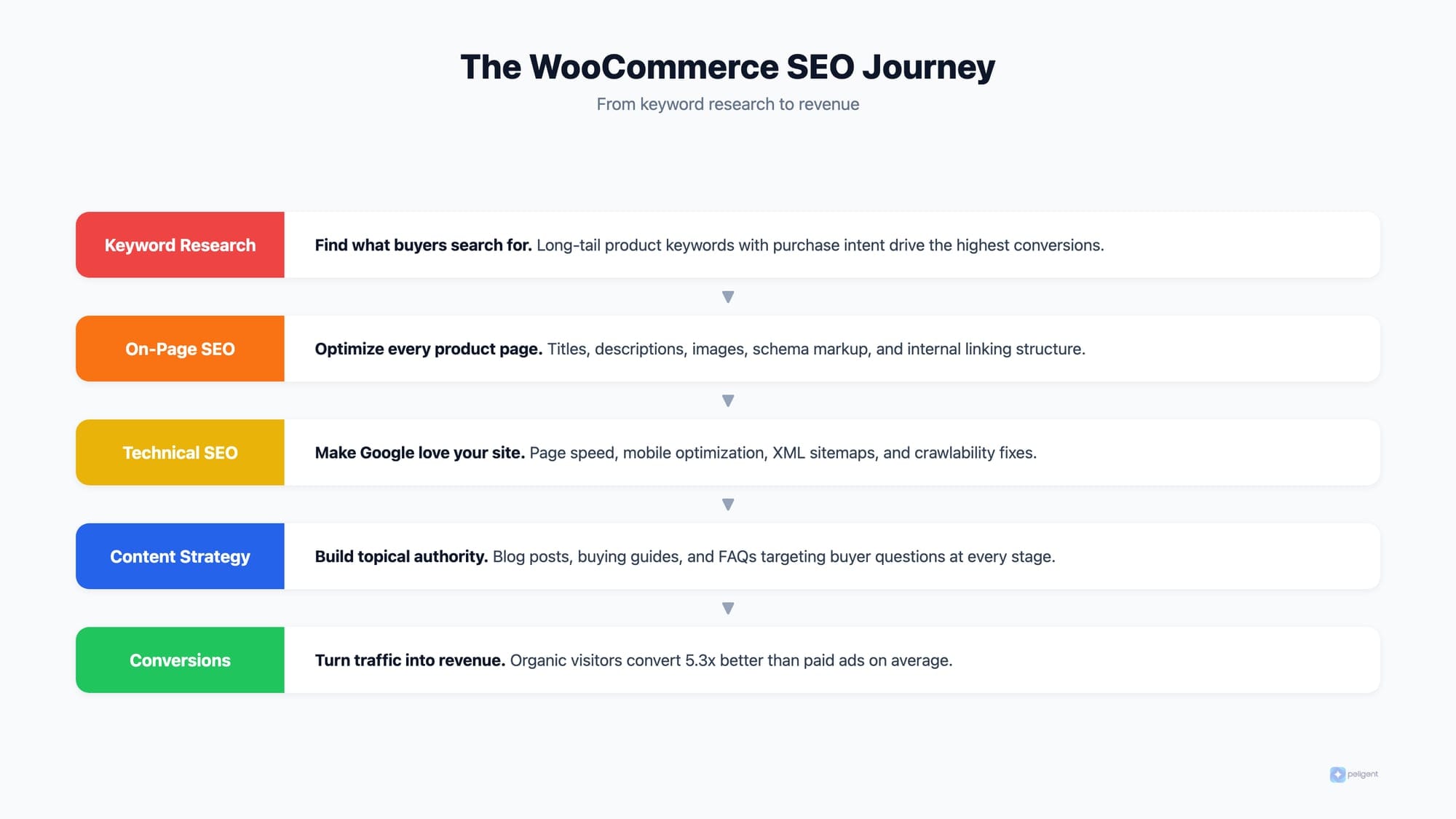
Choose quality hosting
Your host directly impacts speed, uptime, and rankings. Look for WordPress-optimized hosting with SSD storage, built-in caching, and a CDN. SiteGround, Cloudways, and WP Engine are all solid choices.
Install an SEO plugin
Yoast SEO or Rank Math should be your first install. They handle XML sitemaps, meta tags, schema markup, and on-page analysis. Configure one properly before doing anything else.
Enable SSL
Google treats HTTPS as a ranking signal. Most hosts offer free SSL through Let's Encrypt. Make sure every page loads securely.
Fix your permalinks
Go to Settings > Permalinks and select "Post name." For products, use clean URLs like yourstore.com/product/blue-running-shoes instead of yourstore.com/?p=123. Descriptive URLs perform better in search results.
Product Page Optimization
Product pages are where sales happen. Here's how to make Google (and shoppers) love them.
Write keyword-rich product titles
Each title should include your primary keyword naturally. Instead of "Blue Shoes," try "Men's Blue Running Shoes | Lightweight and Breathable." Keep titles under 60 characters so they display fully in search results.
Create unique product descriptions
This is where most WooCommerce stores fail. Copying manufacturer descriptions creates duplicate content, which hurts rankings. Write unique, benefit-focused descriptions of at least 300 words. Place your target keyword in the first paragraph and sprinkle it naturally throughout.
Writing unique descriptions for hundreds of products is exhausting when done manually. AI content generation tools can produce SEO-optimized product descriptions in seconds, giving you a strong draft to customize for each product.
Optimize product images
Images matter for both UX and SEO. Follow this checklist:
- Use descriptive file names (blue-running-shoes.jpg, not IMG_4532.jpg)
- Add alt text with relevant keywords to every image
- Compress images without losing quality
- Use WebP format where possible
- Include multiple angles and lifestyle shots
Add product schema markup
Schema helps Google display rich snippets (price, availability, star ratings) in search results. Most SEO plugins handle basic product schema, but verify your setup using Google's Rich Results Test tool. Make sure price, stock status, and aggregate ratings all show correctly.
Category and Tag Strategy
A well-organized store structure helps both shoppers and search engines find what they need.
Build SEO-friendly categories
Think of categories as your store's main aisles. Each category page should have:
- A keyword-rich but natural category name
- A unique description of at least 150 words at the top of the page
- A clean URL (e.g., /product-category/running-shoes/)
- An optimized meta title and description
Use tags carefully
Tags can create thin content pages that dilute your SEO. Only use them when they genuinely help customers filter products. A tag like "waterproof" across multiple categories makes sense. A tag on just one product does not.
Prevent duplicate content
WooCommerce can generate multiple URLs for the same product through categories, tags, and attribute archives. Use your SEO plugin to set canonical URLs and noindex thin archive pages that don't add value.
Technical SEO Checklist
The behind-the-scenes stuff that makes or breaks your rankings.
Crawling and indexing
- Submit your XML sitemap to Google Search Console
- Check for crawl errors regularly
- Block irrelevant pages (cart, checkout, my-account) from indexing via robots.txt or noindex tags
- Confirm your sitemap includes all product, category, and blog pages
Enable breadcrumbs
Breadcrumbs improve navigation and give Google extra context about your site structure. Most SEO plugins and WooCommerce-compatible themes support them natively. Add BreadcrumbList schema for bonus points.
Mobile optimization
- Test your store with Google's Mobile-Friendly Test
- Make sure buttons and links have at least 48px touch targets
- Verify product images are responsive
- Test the full checkout flow on mobile
Structured data beyond products
- Organization schema on your homepage
- FAQ schema on content pages
- BreadcrumbList schema for navigation
- Validate everything with Google's Rich Results Test
Ongoing maintenance
- Keep WordPress, WooCommerce, and plugins updated
- Monitor for broken links and fix 404 errors promptly
- Set up 301 redirects when removing or changing product URLs
- Audit plugins regularly for conflicts or performance issues
Site Speed and Core Web Vitals
Google has made it clear: speed is a ranking factor. For e-commerce, it also directly impacts conversions. A one-second delay can reduce conversions by 7%.
Know your Core Web Vitals targets
Run your store through Google PageSpeed Insights and check these numbers:
- LCP (Largest Contentful Paint): Under 2.5 seconds
- INP (Interaction to Next Paint): Under 200 milliseconds
- CLS (Cumulative Layout Shift): Under 0.1
Note: Google replaced FID with INP in 2024, so make sure any guide you follow is up to date.
Quick wins for WooCommerce speed
- Enable server-level caching plus a caching plugin (WP Rocket, LiteSpeed Cache)
- Use a CDN like Cloudflare or BunnyCDN
- Optimize and lazy-load images
- Minimize CSS and JavaScript
- Remove unused plugins (each one adds overhead)
- Use a lightweight, WooCommerce-compatible theme
Consistent monitoring is key. Instead of manually checking every week, automated tools like Peligent's Speed Monitor Bot track your store's performance and alert you when things slow down, before it costs you rankings or sales.
Scaling SEO with AI
Here's the reality most store owners face: you have hundreds (maybe thousands) of products, and writing unique meta descriptions for each one feels impossible. Many stores leave them blank, which means Google pulls random text from the page. That's a missed opportunity.
Why meta descriptions still matter
Meta descriptions aren't a direct ranking factor, but they heavily influence click-through rates. A compelling description can be the difference between someone clicking your listing or your competitor's. For product pages, include the product name, a key benefit, and a call to action. Stay between 150 and 160 characters.
AI makes scaling possible
Instead of spending weeks writing meta descriptions manually, AI content generation can create optimized descriptions for your entire catalog. The key is reviewing and customizing the output. AI gives you a strong 80% draft; your product knowledge fills in the final 20%.
When you need to update descriptions across hundreds of products, bulk editing tools let you make changes at scale without touching each product page individually.
Content Marketing for WooCommerce Stores
Product pages target transactional keywords (people ready to buy). Content marketing captures informational keywords (people still researching). This builds your store's authority and creates a pipeline of future customers.
Start a store blog
Write content that answers the questions your customers ask before buying. If you sell running shoes, create posts like:
- "How to Choose the Right Running Shoes for Your Foot Type"
- "Trail vs Road Running Shoes: What's the Difference?"
- "How Often Should You Replace Running Shoes?"
Build strong internal links
Every blog post should link to relevant product pages and categories. This passes SEO authority to your product pages and helps customers discover products naturally. Link between related products too, and from category descriptions to helpful blog content.
Create buying guides and comparisons
Content like "Best Running Shoes Under $100 in 2026" targets high-intent commercial keywords and converts well. It attracts people close to a purchase decision while giving you a natural way to feature your products.
Security and SSL
Security isn't just about protecting customer data. It also affects your SEO.
Why Google cares about security
Google uses HTTPS as a ranking signal and Chrome flags non-secure sites with warnings. For an e-commerce store handling payment information, security isn't optional.
Security checklist for WooCommerce
- Force HTTPS on all pages (not just checkout)
- Keep WordPress core, WooCommerce, and all plugins updated
- Use strong admin passwords and enable two-factor authentication
- Install a security plugin (Wordfence, Sucuri, or iThemes Security)
- Set up automated backups
- Monitor for malware and suspicious activity
A hacked or compromised store can lose its rankings overnight. Google may flag your site as unsafe, which destroys both traffic and trust.
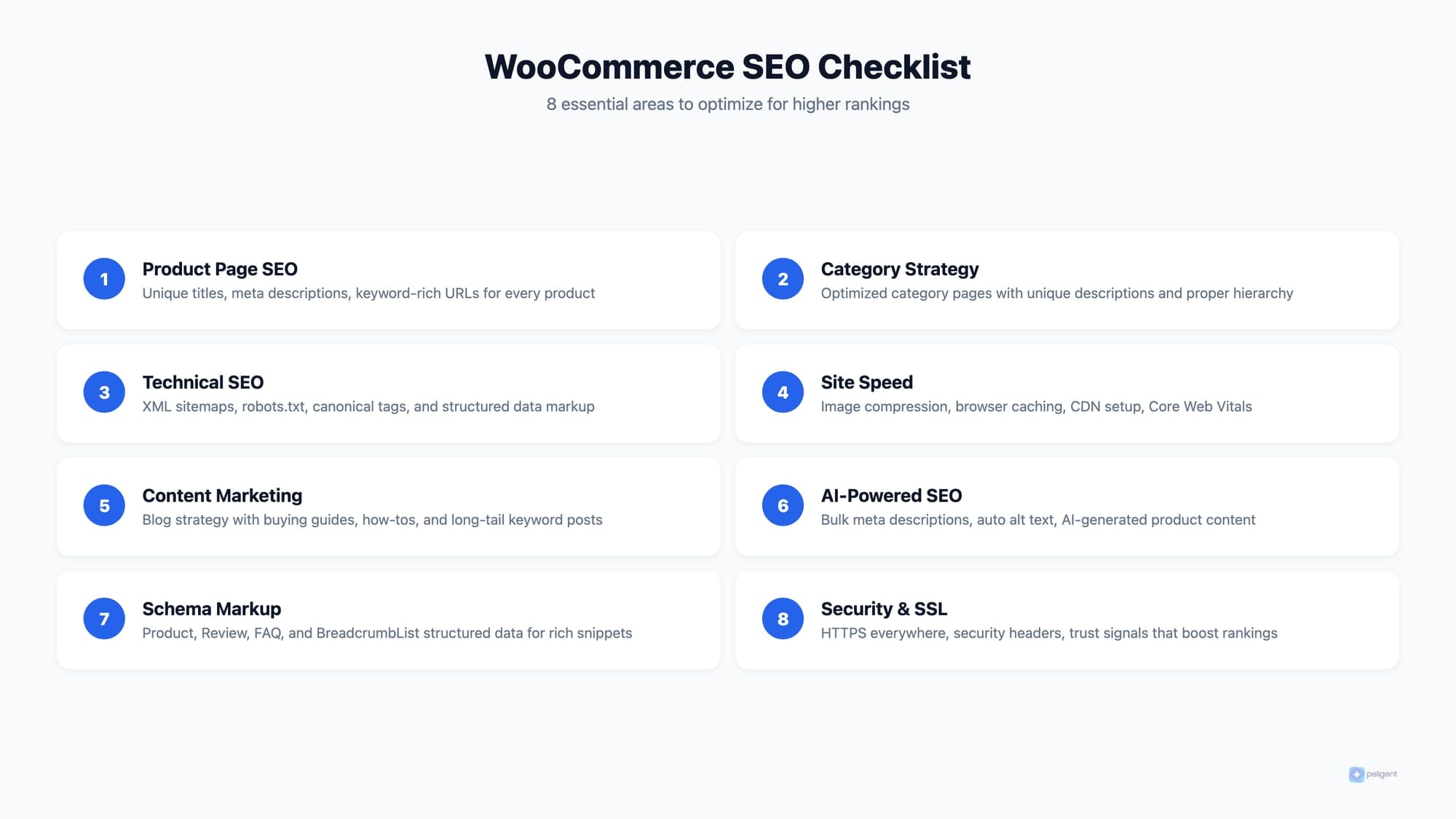
Quick Reference: The Complete Checklist
Here's everything in one scannable list:
Foundations
- ☐ Quality WordPress hosting
- ☐ SEO plugin installed and configured
- ☐ SSL enabled sitewide
- ☐ Clean permalink structure
Product Pages
- ☐ Unique, keyword-rich titles (under 60 chars)
- ☐ Unique descriptions (300+ words each)
- ☐ Optimized images with alt text
- ☐ Product schema markup verified
Categories and Tags
- ☐ SEO-friendly category names and descriptions
- ☐ Tags used sparingly and purposefully
- ☐ Canonical URLs set to prevent duplicates
Technical
- ☐ XML sitemap submitted to Search Console
- ☐ Cart/checkout/account pages noindexed
- ☐ Breadcrumbs enabled
- ☐ Mobile-friendly verified
- ☐ Structured data validated
- ☐ Broken links and 404s fixed
Speed
- ☐ LCP under 2.5s, INP under 200ms, CLS under 0.1
- ☐ Caching and CDN enabled
- ☐ Images optimized and lazy-loaded
- ☐ Unused plugins removed
Content
- ☐ Blog with informational content targeting customer questions
- ☐ Internal links between blog posts, products, and categories
- ☐ Buying guides and comparison pages
Security
- ☐ HTTPS forced on all pages
- ☐ Security plugin active
- ☐ Automated backups running
Putting It All Together
SEO is not a one-time project. It's an ongoing cycle of optimization, monitoring, and improvement. You don't need to tackle everything at once. Start with the fundamentals: solid hosting, a configured SEO plugin, and unique product titles and descriptions. Then work through the rest of this checklist section by section.
Track your progress in Google Search Console. Celebrate the small wins. And if managing all of this feels overwhelming at scale, tools like Peligent can automate the heavy lifting, from AI-generated content and speed monitoring to bulk product updates, so you can focus on running your business while your SEO improves in the background.
Want to learn more about how AI is changing WordPress? Check out our guide on what WordPress MCP is and why it matters, or see our roundup of the top 10 AI plugins for WordPress in 2026.
Frequently Asked Questions
How long does WooCommerce SEO take to show results?
Most stores see improvements within 3 to 6 months of consistent work. Quick wins like fixing titles and meta descriptions can show results faster, while building domain authority through content takes longer. The key is consistency.
Do I need a separate SEO plugin with WooCommerce?
Yes. WooCommerce handles e-commerce functionality but doesn't include advanced SEO features. An SEO plugin like Yoast or Rank Math is essential for meta tags, sitemaps, schema, and on-page optimization.
Is WooCommerce better for SEO than Shopify?
WooCommerce has an edge because WordPress offers more flexibility and control over SEO settings. You get full access to your code, hosting, and plugin ecosystem. The trade-off is that it requires more hands-on management compared to Shopify's built-in approach.
How do I optimize hundreds of products at once?
Manual optimization doesn't scale. Use bulk editing tools to update titles, descriptions, and meta data across your catalog in a single session. AI tools speed this up further by generating optimized content you can review and publish.
What's the single most important WooCommerce SEO factor in 2026?
Page experience (speed, mobile usability, Core Web Vitals) and unique, high-quality product content. Google's algorithms increasingly reward stores that provide genuine value and a great user experience over those relying on keyword stuffing.
Written by
Wana DaliriAI content writer at Peligent. Covering WordPress, WooCommerce, and AI for e-commerce.
Enjoyed this article?
Subscribe to get more WooCommerce insights delivered to your inbox.
Related Articles
View all
WooCommerce Product Recommendations: How AI Personalizes Every Visit
Default related products only match tags. See how AI product recommendations use real shopper behavior to lift conversions, order value, and revenue.
WooCommerce AEO: How to Get Your Products Recommended by AI
Answer engine optimization for WooCommerce: how to get your products cited and recommended by ChatGPT, Perplexity, and Google AI Overviews in 2026.

WooCommerce CSV Import: How to Bulk Upload Products Without the Headaches
A practical 2026 guide to importing WooCommerce products from a CSV file, fixing the errors that break most imports, and cleaning up your catalog with AI.