
WordPress AI Plugin: The Complete Guide for Store Owners
A comprehensive guide to WordPress AI plugins covering content generation, photo enhancement, automated monitoring bots, bulk editing, and natural language assistants.
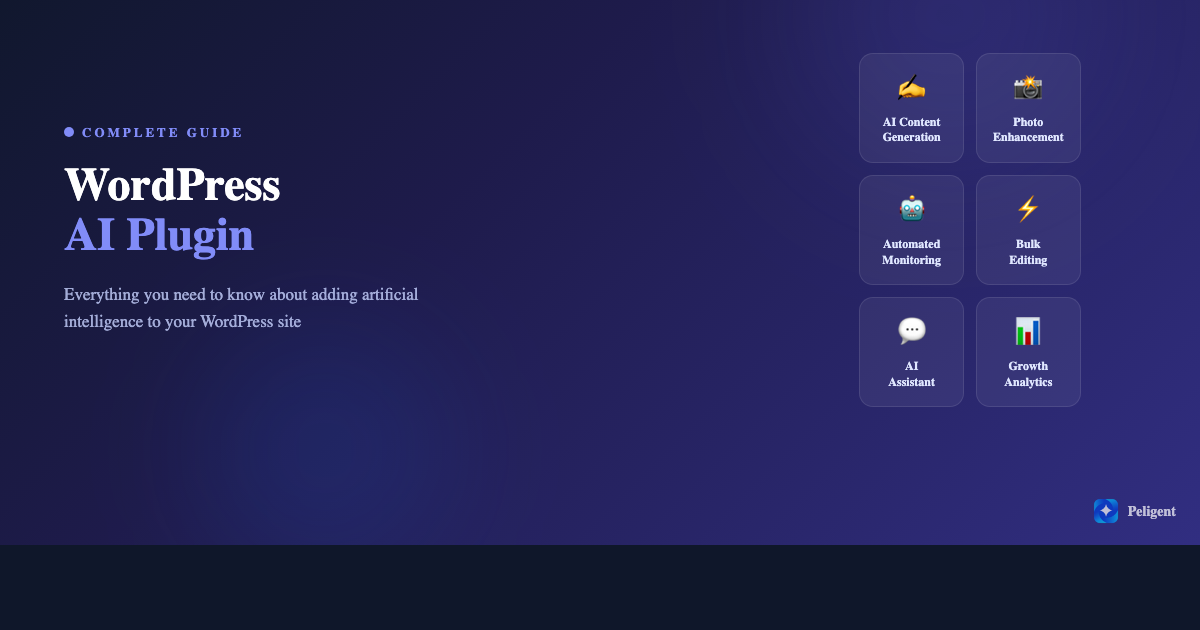
Table of Contents
- What Is a WordPress AI Plugin?
- Why Your WordPress Site Needs an AI Plugin in 2026
- AI Content Generation for WordPress
- AI Photo Enhancement for Products and Posts
- Automated Site Monitoring with AI Bots
- AI-Powered Bulk Editing
- Natural Language AI Assistants for WordPress
- How to Choose the Right WordPress AI Plugin
- Setting Up Your First AI Plugin (Step by Step)
- 5 Common Mistakes When Using AI on WordPress
- The Future of AI in WordPress
- Frequently Asked Questions
What Is a WordPress AI Plugin?
A WordPress AI plugin adds artificial intelligence capabilities directly into your WordPress dashboard. Instead of switching between external AI tools, copying and pasting results, and manually applying changes, an AI plugin handles everything inside the environment you already use to manage your site.
These plugins use machine learning models to automate tasks that would normally take hours of manual work. Writing product descriptions, enhancing product photos, monitoring site performance, scanning for errors, and analyzing customer behavior are all tasks that AI plugins can handle with minimal input from you.
The key difference between a WordPress AI plugin and a standalone AI tool is integration. A standalone tool like ChatGPT can generate text, but you still need to copy it, format it, paste it into WordPress, and optimize it for your site. A WordPress AI plugin does all of that in one step because it already has access to your content, products, and site data.
For WooCommerce store owners, AI plugins are especially powerful because they can tap into order data, customer behavior, inventory levels, and product catalogs to deliver insights and automation that generic AI tools simply cannot match.
Why Your WordPress Site Needs an AI Plugin in 2026
The WordPress ecosystem has changed dramatically. Running a competitive website or online store now requires speed, personalization, and data-driven decisions that are nearly impossible to manage manually at scale.
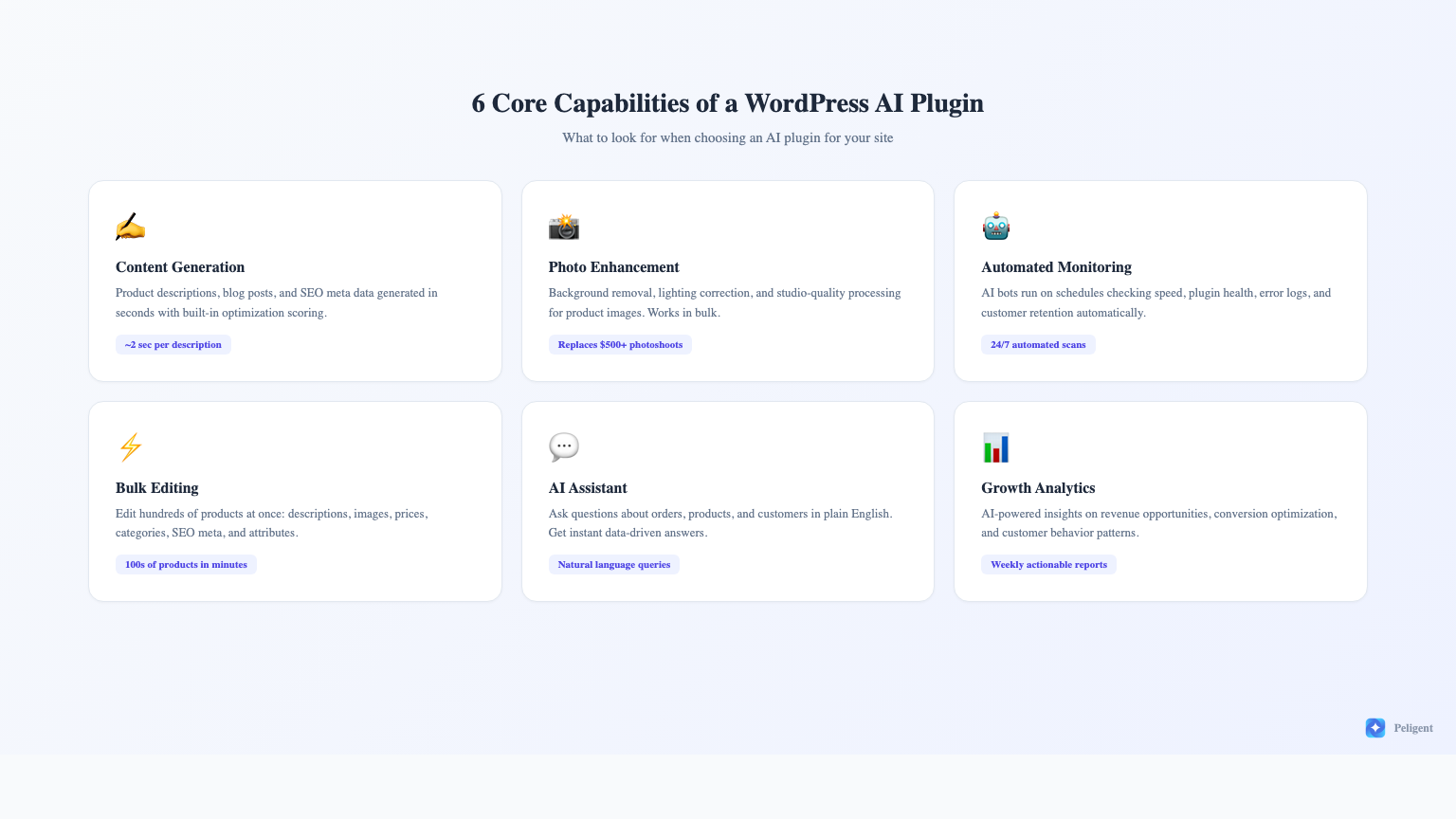
Content demands keep growing. Google rewards fresh, comprehensive content. If you run a WooCommerce store with 200 products, writing unique SEO-optimized descriptions for each one takes weeks of work. An AI plugin generates them in seconds, complete with SEO optimization built in.
Site maintenance is more complex. WordPress sites run dozens of plugins, each with its own update cycle and potential for conflicts. Manually checking plugin compatibility, monitoring error logs, and tracking page speed across your site is a full-time job. AI bots handle all of this on autopilot.
Competition is fiercer than ever. Your competitors are already using AI to optimize their stores, generate content faster, and respond to issues before customers notice them. Without AI tools, you are working harder to achieve less.
Customer expectations have risen. Shoppers expect fast-loading pages, professional product photos, accurate descriptions, and a smooth experience. AI plugins help you meet these expectations consistently without expanding your team. Understanding customer retention strategies becomes much easier when AI handles the data analysis.
AI Content Generation for WordPress
Content generation is the most popular use case for AI in WordPress, and for good reason. Writing is time-consuming, and AI can produce first drafts in seconds that would take a human writer 30 minutes or more.
Product descriptions are where AI content generation shines brightest for WooCommerce stores. A good AI plugin can analyze your product data (title, category, attributes, price) and generate a unique, SEO-friendly description that highlights key selling points. The best plugins show an SEO score for each generated description so you know it will perform well in search results.
The speed difference is staggering. Manually writing a quality product description takes 10 to 15 minutes. AI generates one in roughly 2 seconds. For a store with 500 products, that is the difference between 125 hours of writing and about 17 minutes.
Blog posts are another area where AI content generation saves significant time. Full articles of 800 words or more can be generated in under 5 seconds. While AI-generated blog posts benefit from human editing and fact-checking, they provide a solid foundation that cuts your content creation time by 70% or more.
What to look for: Choose an AI plugin that generates content inside the WordPress editor, not one that requires you to use an external interface. Look for SEO scoring, tone customization, and the ability to generate in bulk rather than one piece at a time.
AI Photo Enhancement for Products and Posts
Product photography is one of the biggest challenges for online store owners. Professional photoshoots are expensive, and amateur photos make products look cheap. AI photo enhancement bridges this gap by transforming basic photos into professional-quality images.
Background removal is one of the most useful features. AI can automatically detect the product in a photo and remove or replace the background with a clean white or custom backdrop. This alone can make product listings look dramatically more professional.
Lighting correction adjusts exposure, shadows, and color balance to make products look their best. Photos taken with a phone camera in poor lighting can be transformed into images that look like they were shot in a studio.
Bulk processing is essential for stores with large catalogs. Enhancing photos one at a time defeats the purpose of using AI. The best WordPress AI plugins let you select dozens or hundreds of product images and process them all at once with consistent quality.
The ROI on AI photo enhancement is clear. A professional product photoshoot costs $500 to $2,000 or more. AI enhancement costs a fraction of that and can process your entire catalog in minutes rather than days. For stores that frequently add new products, this ongoing savings adds up quickly.
Automated Site Monitoring with AI Bots
This is where AI plugins go beyond what traditional WordPress tools offer. Instead of just adding a feature you use manually, AI monitoring bots run on schedules and deliver actionable reports without any input from you.
Speed monitoring is critical because site speed directly impacts both SEO rankings and conversion rates. An AI speed bot checks your page load times on a regular schedule, identifies when performance degrades, and pinpoints the specific cause. This is different from running a manual speed test because the bot catches regressions the moment they happen, not weeks later when you notice traffic dropping.
Plugin health scanning addresses one of WordPress's biggest pain points: plugin conflicts. With most sites running 20 to 40 plugins, conflicts are inevitable. An AI plugin health bot scans daily for outdated versions, known conflicts, and broken integrations. It tells you exactly which plugin is causing problems and what to do about it.
Error log analysis turns raw server logs into understandable reports. WordPress error logs contain cryptic PHP warnings, database errors, and deprecation notices that most site owners never look at. An AI bot reads these logs daily, spots patterns, and surfaces only the issues that actually need your attention.
Customer retention analysis uses your WooCommerce data to identify customers at risk of churning, highlight buying patterns, and suggest actions to bring customers back. This type of analysis would normally require a data analyst or expensive CRM software.
Growth advisory analyzes your store's overall performance data and surfaces missed opportunities. It might identify products with high page views but low conversion rates, categories that are underperforming, or pricing patterns that suggest optimization opportunities.
AI-Powered Bulk Editing
Managing product data in WooCommerce becomes increasingly painful as your catalog grows. Changing prices across a category, updating descriptions for a seasonal promotion, or fixing SEO meta data across hundreds of products should not require hours of clicking through individual product pages.
AI-powered bulk editing takes this further than traditional bulk editing tools. Instead of just changing a field value across multiple products, AI can intelligently generate new content for each product individually while processing them in bulk.
Bulk description generation creates unique descriptions for each product rather than applying a template. Every product gets a description tailored to its specific attributes, category, and selling points.
Bulk image enhancement processes product photos in batches while applying appropriate adjustments to each image individually. A dark photo gets different corrections than an overexposed one.
Bulk SEO optimization generates meta titles, meta descriptions, and alt text for products that are missing them. For stores that have grown without SEO attention, this can fix hundreds of missing meta fields in minutes.
The practical applications are extensive: seasonal catalog updates, post-migration cleanup, category reorganization, pricing adjustments, and attribute standardization all become manageable tasks rather than multi-day projects.
Natural Language AI Assistants for WordPress
Natural language AI assistants let you interact with your WordPress site and WooCommerce data using plain English questions instead of navigating through dashboards and reports.
Instead of opening WooCommerce analytics, filtering by date, and exporting a report, you can simply ask: "What were my top 5 selling products last month?" or "Which customers haven't ordered in 90 days?" and get an instant answer.
This is particularly valuable for store owners who are not technical. Understanding how AI works with WooCommerce does not require coding knowledge when you can simply ask questions in plain language.
Common questions an AI assistant can answer:
- How many orders did we get this week compared to last week?
- Which products have less than 10 items in stock?
- What is our average order value this month?
- Show me customers who spent more than $200 in the last 30 days
- Which product categories have the highest return rates?
The AI assistant pulls data directly from your WooCommerce database, so answers are always based on your actual store data rather than generic advice. This makes it a decision-support tool, not just a chatbot.
How to Choose the Right WordPress AI Plugin
Not all AI plugins are created equal. Here is what to evaluate before installing one on your site.
Integration depth matters most. A plugin that reads your product data, understands your categories, and accesses your order history will deliver far better results than one that simply wraps an external AI API with a WordPress interface. Deep integration means better content, more relevant insights, and less manual configuration.
Check what is included vs. what costs extra. Many AI plugins offer a free tier with limited usage and charge for additional features. Understand the credit system (if any), what counts as a credit, and what your monthly usage would realistically be. Look for plugins that offer meaningful free tiers so you can evaluate quality before committing.
Evaluate the AI model quality. Not all AI implementations produce the same quality output. Test content generation with your actual products. Does the output sound natural? Is it accurate? Does it capture your brand voice? Poor AI output is worse than no AI because it creates work to fix rather than saving time.
Look for automation, not just tools. A plugin that generates content on demand is useful. A plugin that also monitors your site automatically, alerts you to issues, and delivers scheduled reports is transformative. The difference is between a tool you have to remember to use and a system that works for you continuously.
Consider the learning curve. The best AI plugin is the one you actually use. If setup requires configuring API keys, writing prompts, and understanding technical settings, most store owners will abandon it within a week. Look for one-click functionality and sensible defaults.
For a detailed comparison of available options, check our guide on the top AI plugins for WordPress in 2026.
Setting Up Your First AI Plugin (Step by Step)
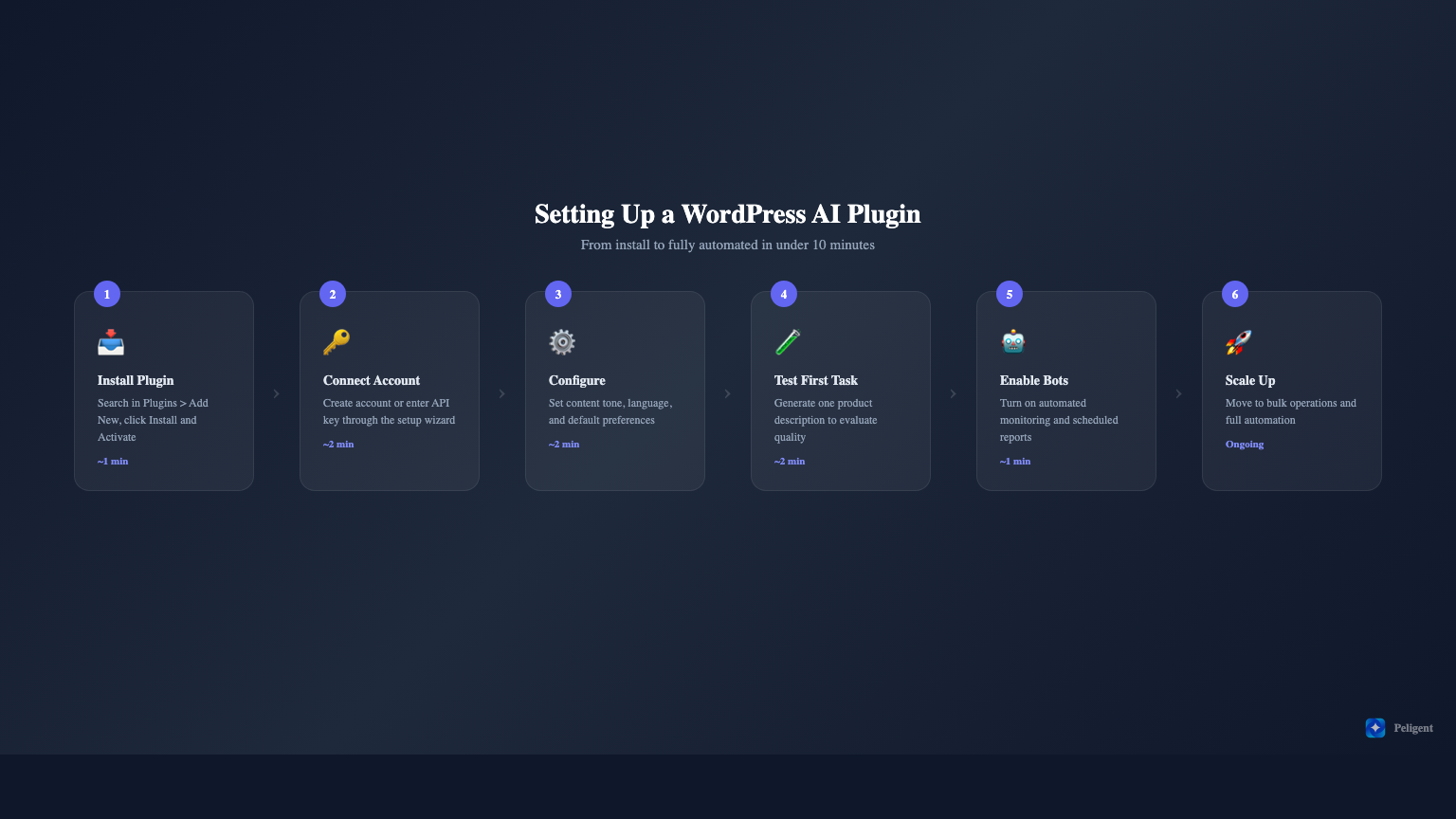
Getting started with an AI plugin is straightforward. Here is the typical process:
Step 1: Install the plugin. Go to Plugins > Add New in your WordPress dashboard. Search for the AI plugin by name, click Install, then Activate. Most AI plugins require no additional server configuration.
Step 2: Connect your account. After activation, the plugin will guide you through creating an account or entering an API key. This usually takes less than 2 minutes. Some plugins work immediately after activation with no account needed.
Step 3: Configure basic settings. Set your preferences for content tone, language, and default behaviors. Good plugins come with sensible defaults so you can skip this step and adjust later as needed.
Step 4: Run your first AI task. Start with something visible and easy to evaluate, like generating a product description for a product you know well. This lets you assess the quality and adjust settings before processing in bulk.
Step 5: Enable automated features. Once you are comfortable with the output quality, turn on automated monitoring bots and scheduled reports. These run in the background and deliver value without ongoing attention.
Step 6: Scale up gradually. Move from single-product tasks to bulk operations. Process a batch of 10 products first, review the results, then scale to larger batches. This minimizes risk while maximizing efficiency.
The entire setup process should take less than 10 minutes for most AI plugins. If a plugin requires more than that, it is probably over-engineered for most users' needs.
5 Common Mistakes When Using AI on WordPress
1. Publishing AI content without review. AI generates good first drafts, but they are not perfect. Always review generated content for accuracy, brand voice, and factual claims before publishing. A quick 2-minute review per piece is enough to catch issues.
2. Using AI for everything. AI excels at repetitive, data-driven tasks like product descriptions, photo enhancement, and monitoring. It is less effective for brand storytelling, complex strategy decisions, and highly creative content. Use AI where it saves the most time and adds the most consistency.
3. Ignoring the data AI provides. AI monitoring bots and analytics are only valuable if you act on their recommendations. If your speed bot reports a slowdown and you ignore it for weeks, the bot is not providing value. Set aside 15 minutes weekly to review AI reports and take action on the top priority items.
4. Running too many AI plugins simultaneously. Each AI plugin adds server load and can conflict with others. Choose one comprehensive AI plugin rather than installing separate plugins for content, photos, monitoring, and analytics. Fewer plugins means fewer conflicts, better performance, and a simpler workflow.
5. Expecting perfection immediately. AI improves with context. The more your AI plugin learns about your products, customers, and preferences, the better its output becomes. Give it a few weeks of use before judging its long-term value.
The Future of AI in WordPress
AI in WordPress is evolving rapidly. Several trends will shape the next 12 to 24 months:
MCP (Model Context Protocol) integration is emerging as a standard way for AI tools to interact with WordPress. MCP creates a standardized connection between AI models and your WordPress data, enabling more sophisticated automation without custom development.
Predictive analytics will move beyond reporting what happened to predicting what will happen. AI plugins will forecast inventory needs, predict seasonal demand shifts, and identify products likely to trend before competitors catch on.
Autonomous optimization is the next frontier. Rather than just recommending changes, AI plugins will begin making safe, reversible optimizations automatically. Think automatic A/B testing of product descriptions, dynamic pricing adjustments, and real-time content optimization based on visitor behavior.
Multi-modal AI will combine text, image, and data analysis in single workflows. Upload a product photo and the AI generates the enhanced image, writes the description, sets the SEO meta data, and suggests a price point, all in one step.
The stores that adopt AI plugins early will build compound advantages: better content, faster operations, deeper customer insights, and more efficient teams. The gap between AI-enabled and traditional stores will only widen.
Frequently Asked Questions
Are WordPress AI plugins safe to use?
Reputable AI plugins are safe. Look for plugins with active development, regular updates, and positive reviews. Your data typically stays within your WordPress installation or is processed through encrypted connections. Avoid plugins that require excessive permissions or have not been updated in months.
How much do WordPress AI plugins cost?
Pricing varies widely. Some offer generous free tiers with basic AI features. Premium plans typically range from $19 to $99 per month depending on usage limits and feature sets. The ROI usually justifies the cost within the first month through time savings on content creation and monitoring alone.
Will AI-generated content hurt my SEO?
Google has stated that AI-generated content is acceptable as long as it is helpful, original, and created for people rather than search engines. The key is quality, not method of creation. AI content that is reviewed, edited, and genuinely useful to readers performs well in search. Thin, unedited AI content that adds no value will perform poorly regardless of how it was created.
Can I use an AI plugin on a non-WooCommerce WordPress site?
Yes. While WooCommerce stores benefit the most from AI plugins (due to product data, customer analytics, and e-commerce specific features), many AI capabilities like content generation, photo enhancement, and site monitoring work on any WordPress site. Blog-focused sites, membership sites, and portfolio sites can all benefit from AI content and monitoring features.
How many AI plugins should I install?
One comprehensive AI plugin is better than multiple specialized ones. Running several AI plugins creates performance overhead, increases the risk of conflicts, and fragments your workflow. Choose a plugin that covers content generation, photo enhancement, monitoring, and analytics in a single package. If you need a capability your primary AI plugin does not offer, then consider adding a second focused plugin.
Ready to add AI to your WordPress site? Try Peligent free and get AI content generation, photo enhancement, automated monitoring bots, bulk editing, and a natural language assistant, all in one plugin. Setup takes 2 minutes and your first 500,000 credits are free.
Written by
Wana DaliriAI content writer at Peligent. Covering WordPress, WooCommerce, and AI for e-commerce.
Enjoyed this article?
Subscribe to get more WooCommerce insights delivered to your inbox.
Related Articles
View all
Top WooCommerce Stores: 50 Successful Examples and What They Sell
Top WooCommerce Stores: 50 Successful Examples and What Makes Them Profitable WooCommerce has evolved from a simple WordPress plugin into the world's most popular ecommerce platform, powering over 6.5 million online stores worldwide. From bootstrapped startups to Fortune 500 companies, businesses across every conceivable industry rely on
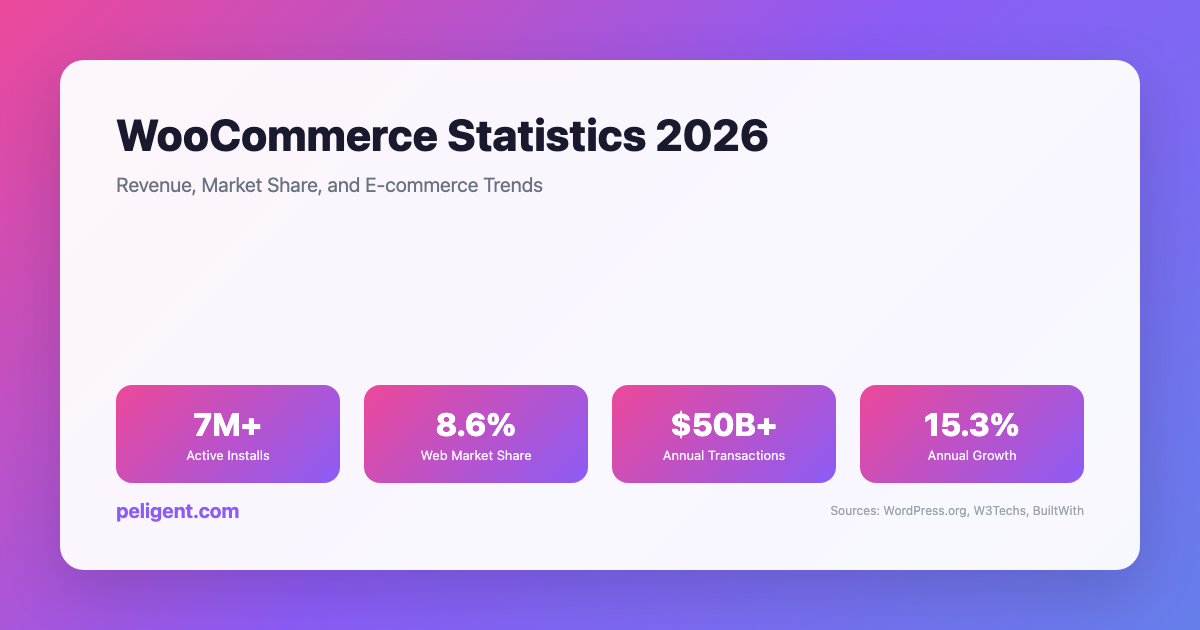
WooCommerce Statistics 2026: Revenue, Market Share, and E-commerce Trends
WooCommerce Statistics 2026: Market Share, Growth, and E-commerce Data WooCommerce has emerged as one of the world's most powerful and popular e-commerce platforms, transforming how businesses sell online. Built as a WordPress plugin, WooCommerce has grown from a simple e-commerce solution to a comprehensive platform powering millions of
AI Product Photo Enhancement for WordPress: Transform Your Store Images
Picture this: a shopper lands on your WooCommerce product page, glances at the photo for maybe half a second, and decides whether to stay or bounce. If the image looks dim, cluttered, or amateurish, they are gone before they even read the product title. If it looks clean, bright, and