
AI Implementation for Small Business: A Practical 2026 Guide
How a small business can implement AI that sticks: pick one task, check your data, choose how to build, name an owner, then pilot and measure it.
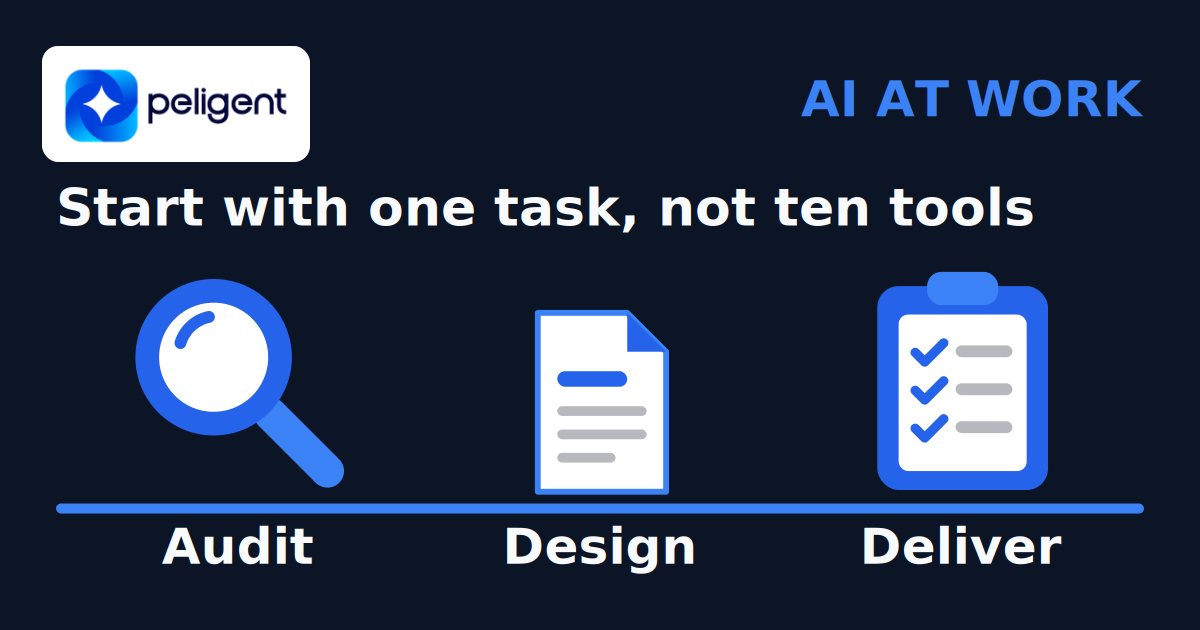
AI implementation for a small business means picking one costly, repetitive task, putting AI inside the tools your team already uses to handle it, and keeping a person in charge of anything that matters. Start with one workflow, compare the results with how you work today, and expand only if the pilot meets your quality and cost targets.
Statistics Canada reports that 19.2% of businesses used AI to produce goods or deliver services in the 12 months before its second-quarter 2026 survey, up from 12.2% in 2025 and 6.1% in 2024. Those are estimates for businesses with employees across sizes and sectors, not a small-business-only adoption rate. This guide shows how to choose a first task, prepare the data, assign responsibility and test the result.
Key takeaways
- Start from a problem, not a tool: one frequent task with clear steps and errors a person can catch.
- Check the data and privacy side before you build. Check that the inputs are current and that the team knows what data it may use.
- Put the AI inside the tools people already open, and name one owner plus the person who approves the output.
- Measure the task before and after. Keep what pays off, drop what does not, then pick the next task.
On this page
- What does AI implementation mean for a small business?
- How many Canadian businesses use AI?
- Step 1: Pick one task worth automating
- Step 2: Check your data and privacy
- Step 3: Choose how to build it
- Step 4: Decide who owns it and who approves
- Step 5: Run a pilot and measure it
- What does AI implementation cost?
- How does Peligent implement AI?
- Which AI implementation mistakes should you avoid?
- Frequently asked questions
What does AI implementation mean for a small business?
AI implementation is the work between "this demo looks great" and "my team uses this every day". It covers three things:
- The task. Which job AI should take on, and how you will know it is working. "Use AI" is not a goal. "Answer routine order questions within an hour, with a person reviewing anything unusual" is.
- The plumbing. How the AI gets the information it needs (your inbox, CRM, store, spreadsheets, documents) and where its output lands, ideally in the screens your team already opens.
- The people. Who owns the result, who approves what goes out, who can see which data, and who fixes it when something changes.
Define these before buying a tool so you can test whether it fits daily work.
How many Canadian businesses use AI?
The June 2026 Canadian Survey on Business Conditions analysis gives a dated baseline for this decision. It reports AI use in the prior 12 months, not whether staff have ever tried a chatbot.
- Reported business use rose from 6.1% in Q2 2024 to 12.2% in Q2 2025 and 19.2% in Q2 2026.
- Among businesses with 1 to 4 employees, 19.9% reported using AI in Q2 2026.
- Among businesses that used AI, 32.0% reported AI-related training for existing employees.
Use these figures as context. Your own task volume, data quality and review time should decide whether a project is worth testing.

Step 1: Pick one task worth automating
Do not start by browsing AI tools. Start by watching where your team's week goes. For one or two weeks, have each person jot down the tasks they repeat, how often, and how long each one takes. You are looking for work that is checking, chasing or copying: moving data between apps, writing the same reply again, building the same report every Monday.
Then score each candidate. A simple sheet works:
| Question | Good first candidate | Leave for later |
|---|---|---|
| How often does it happen? | Daily or many times a week | A few times a month |
| How long does it take each time? | Minutes that add up to hours a week | Seconds, or a rare long job |
| Does it follow clear rules? | Mostly the same steps every time | Every case is a judgment call |
| What does a mistake cost? | A person can catch it before it goes out | Legal, medical or money decisions with no review |
| Is the data in one place? | In an inbox, CRM, store or shared drive | In people's heads or on paper |
Pick the one task with the most answers on the left, and write a goal you can measure, such as "first reply to every new lead within 15 minutes" or "Monday sales report ready by 8 am without anyone building it".
One honest check: does this task need AI at all? Plenty of repetitive work is better handled by plain automation (a rule, a form, a scheduled report). AI earns its place when the work means reading, writing or sorting messy text, such as emails, product descriptions, resumes or support questions. Once you have picked a repeat task, our guide to AI workflow automation for small business walks through scoring the workload and setting approvals before you connect any tools. Our guide to the custom business portal covers the case where the real problem is too many disconnected tools rather than a single task.
Step 2: Check your data and privacy
Check both the data and the model's output before trusting a workflow. Before you build, look at the inputs for your chosen task:
- Is it accurate and current? If your product data has duplicates, fix that first or the AI will repeat the mess faster.
- Is it in one place the AI can reach? Data spread across personal inboxes and desktops is hard to connect.
- Are you allowed to use it this way? Customer and employee data comes with rules about use and where it can be sent.
On privacy, set two simple rules on day one: which data staff may paste into AI tools, and which tools are approved. Canada's privacy regulators have published principles for responsible, privacy-protective generative AI (December 2023) that are a useful checklist. They are not legal advice for your situation. If your task touches health, financial or hiring decisions, check the specifics with your own counsel before you build.
Step 3: Choose how to build it
There are three broad routes, and most businesses end up mixing them:
| Route | Fits when | Watch out for |
|---|---|---|
| Off-the-shelf AI tool | The task is common (meeting notes, writing help, a standard chat widget) and the tool already connects to your software | Another login, another subscription, data that stays in that tool |
| AI added to tools you already use | Your CRM, inbox or store has AI features or can connect to an AI model through an automation | Check which data the feature can access and whether it can pass work between tools |
| Custom build | The task spans several tools, follows your own process, or needs approvals and a full log | More setup work, so it must be tied to a task with a clear payoff |
If a standard tool covers the task, buy it. A custom build makes sense when the work crosses several systems, for example a lead that arrives by email, gets checked against your CRM, needs a drafted reply and then a follow-up three days later. That is where AI workflow automation or an AI assistant trained on your business data may be worth testing.
Whichever route you choose, ask early what you own and what you are licensed to use. Keep ownership of your data, accounts and logins. For a custom build, get the code licence and handover terms in writing, including what a future support team may access or modify. AI usage should run on your own model accounts at provider cost so you can see what it costs.
Step 4: Decide who owns it and who approves
Without a named owner, missed outputs and broken connections can go unnoticed. Before launch, write down four names or roles:
- The owner. One person accountable for the outcome and the goal you set in step 1.
- The approver. The person who signs off on AI output before it reaches a customer, a candidate or your books. AI drafts, a person decides.
- Who logs in and sees what. Roles and permissions matter as much with AI as without it. A sales rep may see their own leads, a manager the whole team, a client only their own account. The AI should follow the same rules as the person using it.
- Who fixes it. Prompts, connections and data change over time. Someone, inside or outside, needs to be on call when they do.
Training does not need to be heavy: show people what the AI does, how to correct it and how to flag a bad result. Bring the people who do the task today into the design early. They know the exceptions.
Step 5: Run a pilot and measure it
Before you switch anything on, measure the task as it runs today: hours per week, error rate, response time, or whatever your goal from step 1 tracks. That is your baseline. Start with a set of past examples, including missing information and unusual requests. Check the output against answers a person has approved. Then run a small live pilot with a person reviewing every output. Record errors and corrections as well as time saved.

The maths can be simple. Here is an illustrative example, not a benchmark: a task that takes 10 minutes and happens 30 times a week uses 5 hours a week. If the AI drafts the work and a person spends 2 minutes checking each one, that drops to 1 hour, saving about 4 hours a week. That is a time-saving estimate, not ROI. Track corrections and exceptions too. For a chosen period, estimate the value of time you can actually redeploy, then subtract setup, training, AI usage, hosting and upkeep costs. ROI is that net benefit divided by total cost, multiplied by 100. Time saved does not automatically reduce payroll or produce cash savings.
Keep the pilot narrow: one task, one team, one goal. Agree in advance on an acceptable error rate and review time. Pause it if sensitive data reaches the wrong place, important errors escape review, or the upkeep outweighs the benefit. Keep the previous process available so staff can continue working. Review the results weekly with the people doing the task.
What does AI implementation cost?
The cost has two parts: the one-time work to set up the workflow, and the running cost of the AI usage, hosting and upkeep. The setup cost depends on how many tools need connecting, how many steps and screens are involved, and how much work flows through each day. Our fixed-price audit and build process explains how we scope work, with a fixed price for the audit and a fixed scope for the build.
How does Peligent implement AI?
We are an AI implementation agency, so here is how we run the steps above for clients. "We audit your workflows, design tailored solutions, and deliver them."
- Audit (fixed price, 1 to 2 weeks). We map how your team works, measure where the hours go and rank the tasks by payoff. You leave with a plan you keep, whether or not you build with us.
- Design and deliver (fixed scope, 2 to 6 weeks). We design the workflow around how your team already works and build it into the tools you use, with a person approving what matters. You own your data and your accounts. We license the code to you. Peligent retains code ownership and grants an ongoing licence to use it. Your logins stay yours, and AI usage runs on your own model accounts at provider cost, with no markup.
- Run plan (optional, monthly). If you want, we keep it running and improving. You can cancel anytime.
Every pattern we build runs in a live portal first. Two examples show how that looks in daily work:
- A recruitment agency's portal. AI sourcing finds and ranks candidates for each role. A shortlist that took a researcher a whole day now appears in minutes, and sales leads are found and staged automatically. The recruitment portal case study explains the workflow.
- An agent fleet on the morning shift. 13 AI agents and 26 automations produce morning reports, content drafts and site checks on a schedule. Every action that matters waits for a person's OK by phone. These are results from this build, not a forecast for a new project.
We have built two custom portals in daily use. If your first task sits inside a bigger tangle of tools, a custom business portal may be worth considering.
Which AI implementation mistakes should you avoid?
- Buying five tools and finishing none. One working workflow beats five half-set-up subscriptions.
- Skipping the baseline. Without a "before" number, you cannot tell whether the AI helped.
- Letting AI send things unchecked. Keep a named person responsible for important customer, hiring and financial decisions.
- Putting AI in a separate tab. Extra logins and copying can erase the time saving. Test the workflow with the staff who will use it.
- Leaving handover terms unclear. Keep ownership of your data and accounts, and get the code licence, data export and support handover terms in writing. Confirm what another team may operate or modify before planning a change of provider.
Frequently asked questions
What is AI implementation for a small business?
It is turning AI tools into part of daily operations: choosing a task, connecting AI to the data and software involved, deciding who approves the output, and measuring whether it pays off.
What should a small business automate first with AI?
The task that happens most often, follows clear steps, eats the most staff time and can be checked by a person before it goes out. Common first picks are replying to routine customer or lead emails, sorting and tagging records, drafting product or service descriptions, and building recurring reports.
Do I need technical staff to implement AI?
Not for simple tools; many AI features need no code. Workflows that connect several systems need someone to build and maintain the connections, on staff or outside. You always need an owner inside who decides what good output looks like.
Should I hire an AI agency or do it in-house?
In-house can work if you have technical people with spare time and a simple task. An outside team can help when the work needs integration skills or maintenance capacity you do not have. Either way, keep ownership of your data and accounts. For agency-built software, get an ongoing code licence and clear handover terms in writing. Our full comparison of an AI agency versus an in-house team weighs speed, cost and risk to help you choose.
Is it safe to put customer data into AI tools?
It depends on the tool, its settings and the data. Use approved tools only, keep sensitive data out of personal accounts, and read each provider's data terms. For health, financial or hiring data, check your obligations with your own counsel before you start.
How long does AI implementation take?
Timing depends on the task and access to your data. Peligent scopes an audit at 1 to 2 weeks and design and delivery at 2 to 6 weeks. Allow time after delivery to measure results. In the illustrative schedule above, weeks 1 to 2 cover the audit, weeks 3 to 8 cover the build, and the next 30 days cover measurement before deciding whether to expand.
How much does AI implementation cost?
There is no useful single price without a scope. Ask for setup and running costs separately, including integration, data cleanup, staff training, model usage, hosting and maintenance. Agree on the deliverables and acceptance checks before committing to a build.
Which AI tool should a small business choose?
Test a feature in software you already use first. Compare it with a separate tool using the same real examples, review criteria and privacy requirements. Consider custom work when those options cannot handle your connections, permissions or approvals.
Not sure which task to start with? Book a free call: 30 minutes with a business solution partner. No slides.
Written by
Wana DaliriAI content writer at Peligent. Covering WordPress, WooCommerce, and AI for e-commerce.
Get new guides by email
Practical AI for shops, agencies and firms. No spam.
Related Articles
View all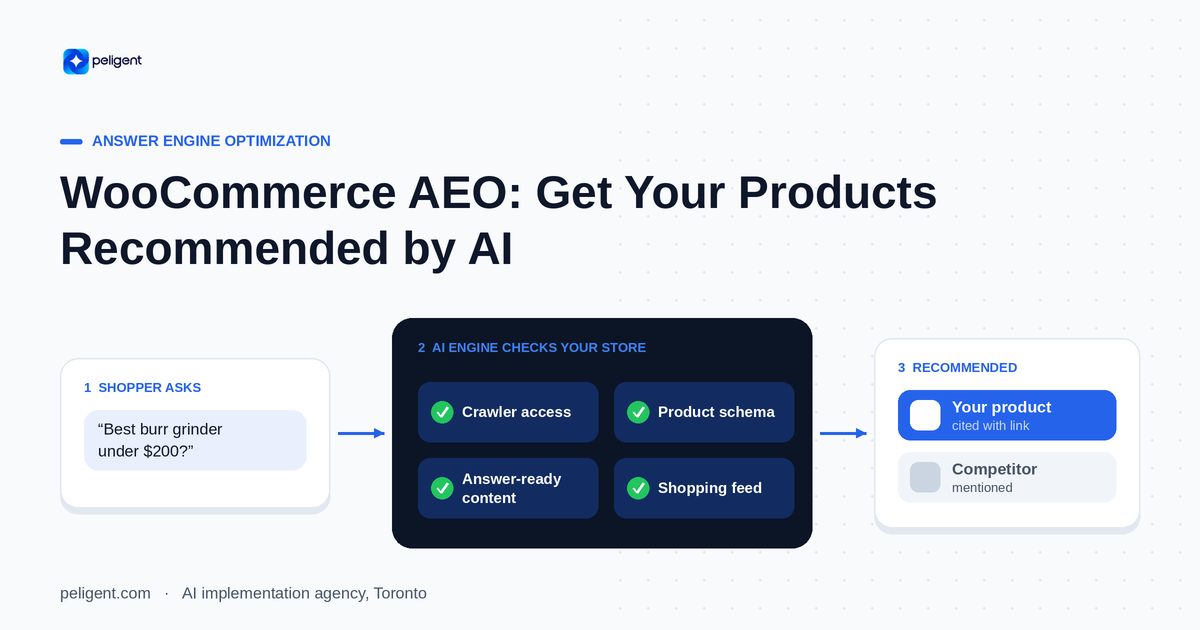
WooCommerce AEO: How to Get Your Products Recommended by AI
Answer engine optimization for WooCommerce: how to get your products cited and recommended by ChatGPT, Perplexity, and Google AI Overviews in 2026.
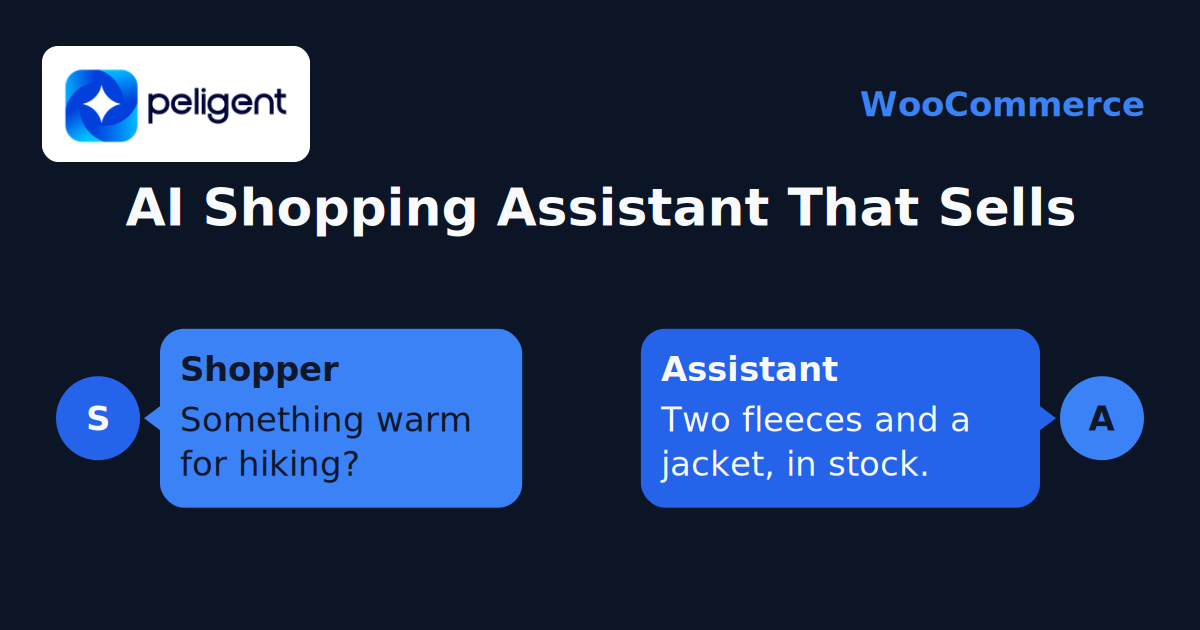
WooCommerce AI Chatbot: How to Add a Smart Shopping Assistant That Sells (2026)
A practical guide to adding an AI chatbot to your WooCommerce store in 2026: how it works, the features that matter, setup steps, and the best practices that turn chats into sales.
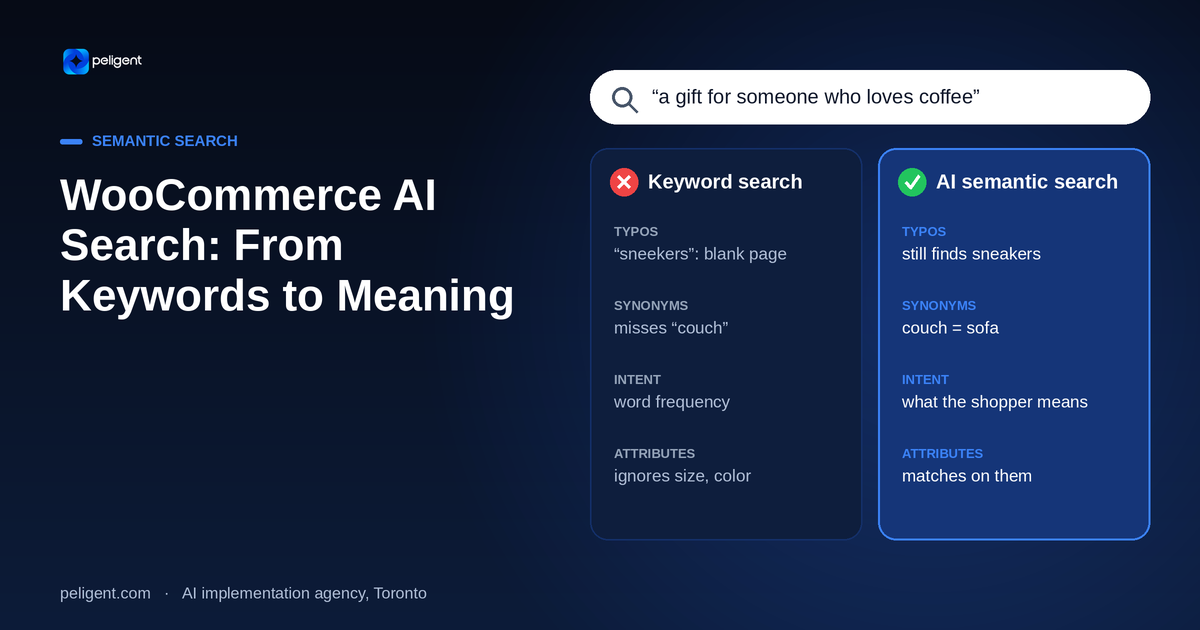
WooCommerce AI Search: How Smart Semantic Search Turns Browsers Into Buyers
Default WooCommerce search misses sales every day. Here is how AI semantic search understands what shoppers mean, not just what they type, and how to add it to your store.