
Custom Business Portal: What It Is and When You Need One
What a custom business portal is, the core screens most share, two real examples, and a simple way to decide if your business needs one yet.
A custom business portal is one private website where your whole team runs the business: leads, clients, orders, documents and reports in a single place, instead of jumping between five or six separate tools. It is built around how your business actually works, and the repetitive parts (copying data between apps, chasing updates, writing the same reply) are handled by AI with a person approving anything that matters.
You need one when your team loses real hours every week moving the same information between apps, and no off-the-shelf product fits without making you change the way you work. If a standard tool does roughly what you need, you do not need a portal yet. This guide shows what goes in a portal, two real ones we built, how a portal compares to a CRM or a stack of SaaS tools, and a simple way to decide.
Key takeaways
- A portal is defined by the jobs it replaces, not by the technology behind it.
- Most portals share the same core screens: leads, clients, orders, a shared inbox, documents and dashboards.
- Buy an off-the-shelf tool when your needs are standard. Build a portal when it must match your workflow or connect systems other products cannot reach.
- With Peligent, you own your data, accounts and logins. Peligent retains code ownership and gives you an ongoing licence to use it; agree licence and handover terms in writing.
On this page
- What a custom business portal is
- What goes in one: eight common screens
- Two real portals, two different businesses
- Portal vs CRM vs a stack of SaaS tools
- Signs you need one now, and signs you do not
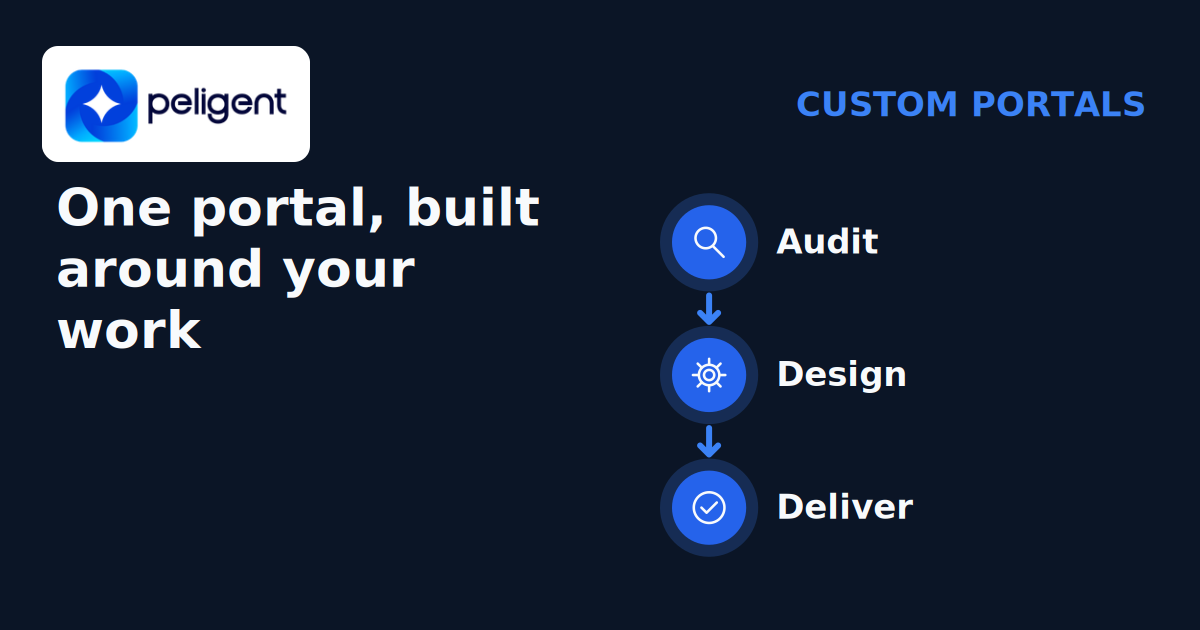
- How a portal gets built: audit, design, deliver
- What you own and what you are licensed to use
- Frequently asked questions
What a custom business portal is
Think of a portal by the jobs it does, not by the software stack. A custom business portal is a single screen your team logs into to do their daily work, with your own data, your own steps and your own rules inside it. Some people call it an internal business portal, a custom client portal, or simply "the system". The name matters less than what it replaces.
The difference from the apps you already use is that a portal is shaped around your business, not the other way around. A generic tool asks you to fit your process into its menus. A portal has the exact screens your team needs, in the order they work, with the extra apps connected behind the scenes so people stop copying data by hand.
The AI part is practical, not magic. Inside the portal, routine work runs on its own: a new lead gets logged and sorted, a draft reply is written and waits for a person to send it, a report is built every morning. A person still approves anything that matters. Nothing important goes out unchecked.
Who logs in, and what each person sees
Most portals have more than one kind of user. The same system can serve several groups, each with its own view:
- Your team. The internal side, where staff run leads, orders and reports.
- Your clients. A client portal where customers check their orders, files, invoices or progress.
- Suppliers or partners. A narrow view for the outside people you work with, such as purchase orders or delivery details.
Roles and permissions decide who sees what. A sales rep sees their own leads, a manager sees the whole team, and a client sees only their own account. Getting these rules right is a core part of the design, not an add-on, because it is what keeps private data private.
What goes in one: eight common screens
Portals differ by business, but most are built from the same handful of screens. If you picture these eight, you have a good picture of what a portal is.
- Leads. Every enquiry in one list, from every source, so none gets lost in an inbox. Each lead has an owner, a stage and a next step.
- Clients or contacts. One record per client with the full history: past orders, notes, files and conversations, all in one place.
- Orders or jobs. The work itself, tracked from request to delivered, with the current status visible to everyone who needs it.
- Shared inbox. Team email and messages in one view, with AI drafting replies that a person reviews before they send.
- Documents and e-sign. Quotes, proposals and contracts created, sent and signed inside the portal, not scattered across drives.
- Dashboards and reports. The numbers that matter, updated on a schedule. This is the same idea as automated reports for a store, applied to the whole business.
- Tasks and approvals. A clear list of what needs a human decision, so the AI can prepare work and a person signs off on it.
- A client-facing side. An optional login where your clients see their orders, files or progress, which cuts down status-update emails.
The value is not in any single screen. You can buy a good tool for each one. The value is in the links between them: a lead becomes a client, a client places an order, the order creates a document, the document feeds a dashboard, and none of it is retyped. When those screens share one set of data, the repetitive work disappears and the AI has a clean place to help.

Two real portals, two different businesses
We have built two custom portals that are in daily use today. They serve very different businesses, which is the point: the screens look similar, but each portal is shaped around its own work. Client names and products are left out on purpose.
A recruitment agency's desk
One portal runs a recruitment agency's day. AI sourcing finds and ranks candidates for each open role at about $0.03 to find and rank one candidate, so a shortlist that used to take a researcher a full day now appears in minutes. Sales leads are found automatically and moved through stages, a shared inbox drafts replies for a person to approve, and a proposal deck is built in one click. The team starts the morning with leads already staged, instead of rebuilding spreadsheets.
A busy retailer's operations panel
The second portal is an operations panel for a retailer. It shows sales and marketing dashboards with daily trends, tracks Google rankings for hundreds of keywords, and watches competitor prices with alerts, so a rival's price drop shows up the same day. It also carries leads, quotes and follow-ups for about 14 sales reps working from one screen, plus hiring. Managers see the trends every morning without pulling a single report by hand.
The same pattern runs through all our work. Our agent fleet runs 26 automations and 13 AI agents on a schedule, and a person approves anything that matters. You can see short, anonymised versions of these on our recruitment and retail stories.
Portal vs CRM vs a stack of SaaS tools
A common question is how a portal is different from a CRM or from the tools you already pay for. Here is the short version.
- A CRM is strong at contacts, deals and follow-ups. It is one screen among several, and it rarely holds your orders, documents and operations in the same place.
- A stack of SaaS tools (a CRM, a project tool, a form, a spreadsheet, an email app) each does one job well, but your data lives in pieces and your team spends the day moving it between them.
- A portal is the one place those jobs meet. It can include CRM screens, but it also carries orders, inbox, documents and dashboards, built around your exact steps, with the AI doing the copying and chasing.
The trade-offs are real. A May 2026 buy-versus-build guide from SpotDev, a UK firm that builds custom portals (so it has a stake in the answer), puts it plainly: "Per-user pricing is cheap with 20 users and painful with 2,000." It also notes that many packaged portals keep their own copy of the customer record and sync it now and then, so "the portal and your CRM can disagree." A portal fixes the data split and the per-seat creep, but it is a build, so it only pays off when a standard tool genuinely does not fit.
| What to compare | Stack of tools | Peligent custom portal |
|---|---|---|
| Where data lives | Across separate tools | Connected in one place for daily work |
| Workflow fit | Work within each tool's features | Built around the agreed workflow |
| Data and accounts | Check each provider's access and export terms | You own your data, accounts and logins |
| Code | Use subject to each provider's licence | Peligent owns the code and grants an ongoing licence to use it |
| Changes and handover | Check features, export and support terms | Agree changes, access and handover rights in writing |
Signs you need one now, and signs you do not
You do not need a portal just because it sounds good. Use this as a quick check.
| Signs you need one now | Signs you do not yet |
|---|---|
| Your team juggles four to six tools and copies data between them every day. | One or two standard tools cover your work without much manual copying. |
| Important things slip because they live in someone's inbox or a spreadsheet. | Your current setup is messy but nothing is actually falling through. |
| Per-seat software costs climb every time you add a person. | You are small enough that per-seat pricing is still cheap. |
| Your process is specific, and no off-the-shelf tool fits without heavy workarounds. | Your process is standard and a popular tool matches it closely. |
| You want AI to handle the repetitive work, with your team approving the output. | You have not yet mapped where the repetitive time actually goes. |
If most of your answers sit on the left, a portal is worth a closer look, starting with an audit of where the hours go. If they sit on the right, buy a good standard tool first and build only the part that makes you different. If you want a smaller starting point before a portal, our practical guide to AI implementation for small business walks through picking the first task to automate.
How a portal gets built: audit, design, deliver
A portal is a project with a clear shape, not an open-ended IT bill. We work in three steps.
- Audit. We map how your team works today and where the repetitive hours go: which tools, which steps, which hand-offs. You get a plan you keep, whether or not you build with us. This is a fixed price and takes one to two weeks.
- Design and deliver. We build the screens you actually need and connect the apps you already use, so the data stops being copied by hand. Scope is fixed and the build usually takes 2 to 6 weeks.
- Run (optional). If you want, we keep it running and improving on a monthly plan you can cancel anytime. The AI usage runs on your own model accounts at provider cost, with no markup.
Much of the inside work is AI workflow automation with human approval: the system prepares the work, a person signs off. The same approach powers AI inside an online store, where AI sorted 1,464 products into a clean category tree, a storefront chat answers stock and order questions, and a person reviews only the unclear products.
What you own and what you are licensed to use
You own your data and your accounts. We license the code to you. Peligent retains code ownership and grants an ongoing licence to use it. Your logins stay yours, including the AI model accounts, where usage is billed at provider cost with no markup. Keeping those accounts under your control lets you see usage and manage access to your business information.
A portal can evolve as your workflow changes, but agree how that work will happen. Get the licence terms in writing, including ongoing use, any source access or modification rights, and the handover arrangements if you change support providers or bring work in-house. Data ownership and a code licence are different: neither should be left to an assumption that paying for a build lets any developer take it over.
Frequently asked questions
Is a custom business portal just a custom CRM?
A CRM can be one part of a portal, but a portal is wider. It carries orders, a shared inbox, documents and dashboards alongside the contact records, all built around your steps. A custom CRM built around your workflow is a good starting point if contacts and follow-ups are your main pain.
How is a portal different from using Airtable or Notion?
No-code tools like Airtable or Notion are a fine way to start and can carry a simple portal. You usually outgrow them when you need the tool to connect to other systems, handle many users without per-seat costs climbing, or run AI steps with proper approval. At that point a built portal fits better.
Do I have to replace all my current tools?
No. A good portal connects to the tools you keep and only replaces the ones that cause the most copying. The aim is one place to work, not a rip-and-replace project.
How long does a portal take to build?
The audit takes one to two weeks and gives you a plan. The build itself is fixed in scope and usually takes 2 to 6 weeks, because it starts from your real workflow instead of a blank slate.
What drives the cost of a custom portal?
Cost comes down to scope, not a fixed sticker. The main drivers are the number of screens, how many outside apps you need connected, how much of the work the AI should handle, and whether you want a client-facing side. A tight first version with a few core screens is far cheaper than a wide build on day one. We quote a fixed price for the audit and a fixed scope for the build, so you know the number before work starts, and you can grow the portal in stages rather than paying for everything at once.
Not sure which side of the table you are on? Book a free call: 30 minutes with the founder. No slides.
Written by
Wana DaliriAI content writer at Peligent. Covering WordPress, WooCommerce, and AI for e-commerce.
Get new guides by email
Practical AI for shops, agencies and firms. No spam.