
WooCommerce Abandoned Cart Recovery: The Complete 2026 Guide
Roughly 7 in 10 WooCommerce carts are abandoned before checkout. Here is how recovery works, how to build an email sequence that converts, and how AI helps you win those sales back.
If your WooCommerce store gets traffic and adds to cart but the sales never close, you are not alone, and you are not doing anything unusual. Cart abandonment is the single largest revenue leak in ecommerce. The good news is that most of those lost carts are recoverable, and recovery is one of the highest return activities you can set up once and let run.
This guide walks through what abandoned cart recovery is, why shoppers leave, how recovery actually works inside WooCommerce, and how to build a system that quietly wins back sales every week. We will also cover how AI changes the game in 2026, so you spend less time writing emails and more time growing.
TL;DR: WooCommerce abandoned cart recovery
Around 70 percent of WooCommerce carts are abandoned before payment, but most of them are recoverable. The fastest wins come from capturing the shopper email (guests included), sending a short, human three email sequence, and fixing the checkout friction that causes abandonment in the first place.
- Cart abandonment averages about 70 percent and climbs to roughly 84 percent on mobile.
- Turn on guest email capture, because most shoppers buy without creating an account.
- A three email sequence (reminder, reassurance, incentive) recovers about 69 percent more orders than a single email.
- Hold the discount until the third email so you do not train shoppers to abandon on purpose.
- AI writes personalized, human sounding emails that reach the primary inbox instead of spam.
Table of Contents
- Why abandoned carts are your biggest leak
- What counts as an abandoned cart
- The real reasons shoppers abandon
- How WooCommerce cart recovery works
- Building a recovery email sequence that converts
- Fixing the leaks before abandonment happens
- How AI changes cart recovery in 2026
- Setting up recovery step by step
- Measuring recovery performance
- Frequently asked questions
Why abandoned carts are your biggest leak
The average cart abandonment rate in 2026 sits at roughly 70 percent, a figure the Baymard Institute calculated across 50 separate studies. In plain terms, more than 7 out of every 10 shoppers who add something to their cart leave before paying. That number has crept up by more than 10 percentage points over the past decade as shopping shifted to phones.
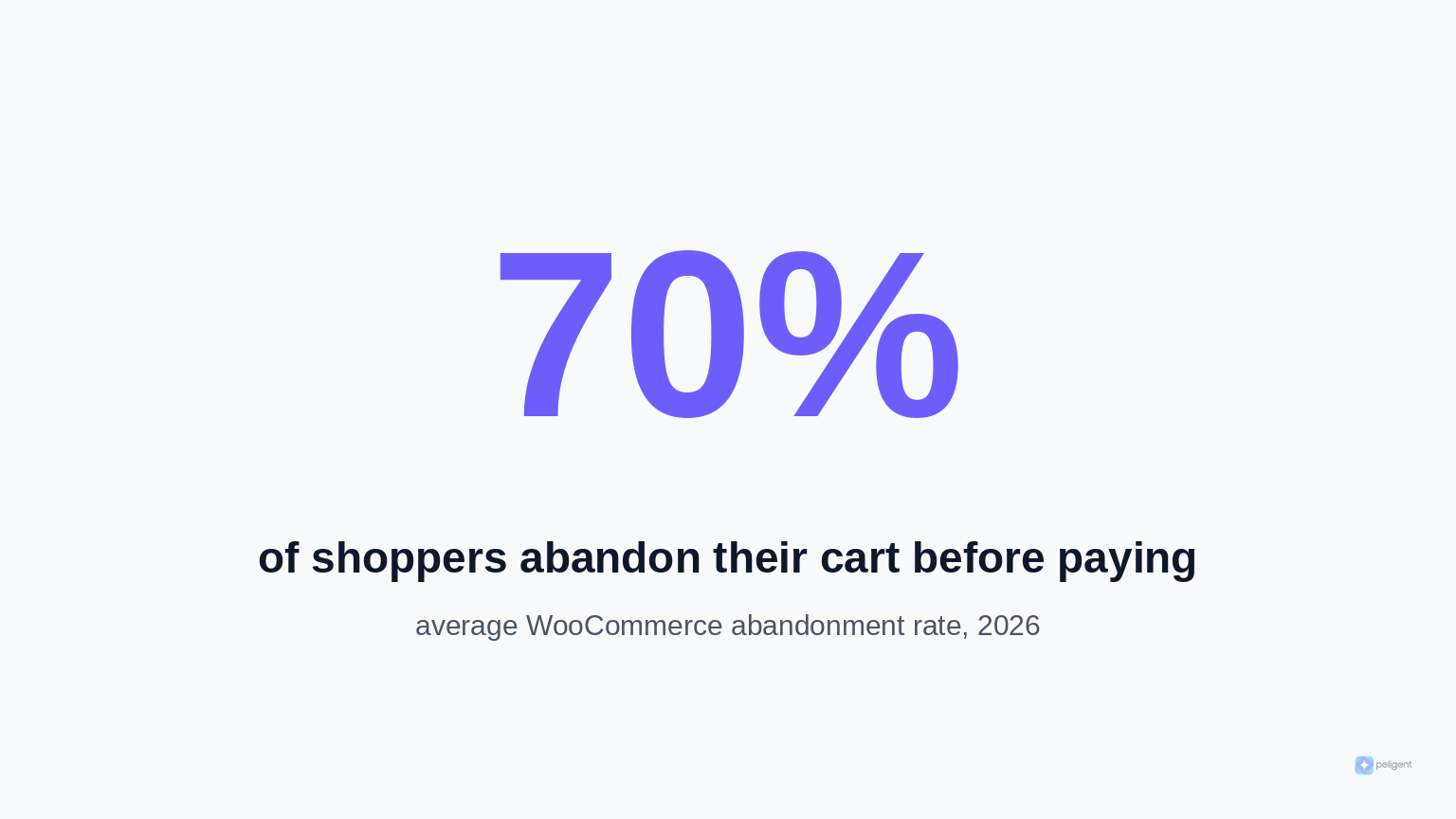
Device matters a lot. Desktop abandonment averages around 72 percent, tablets around 78 percent, and mobile climbs to 84 percent. Since most stores now see the majority of their traffic on mobile, the headline rate keeps rising even when nothing about your store changes.
Here is why this is good news rather than bad. Every abandoned cart represents a shopper who was interested enough to choose a product and start checking out. That is far warmer than a cold visitor. A single, well timed recovery email can bring a meaningful share of them back, and the work is mostly one time setup. For a store doing real volume, recovery is often the fastest path to extra revenue without spending another dollar on ads.
What counts as an abandoned cart
An abandoned cart is any cart where a shopper added one or more products but did not complete the purchase within a set window of time. Most recovery tools treat a cart as abandoned after a quiet period, often 15 to 60 minutes with no further activity.
It helps to separate two related ideas. Cart abandonment happens when someone adds to cart but never reaches checkout. Checkout abandonment happens when they start filling in checkout details and stop partway. Checkout abandoners are your hottest leads because they showed clear intent to pay, and they are usually the easiest group to recover.
The abandonment rate itself is a simple formula. Take the number of completed purchases, divide it by the number of carts created, subtract that from one, and multiply by 100. If 100 carts are created and 30 turn into orders, your abandonment rate is 70 percent. Tracking this number over time tells you whether your checkout and recovery efforts are working.
The real reasons shoppers abandon
You cannot fix a leak you do not understand. Research consistently points to the same handful of causes, and most of them are within your control.
Unexpected costs at checkout
The number one reason, cited by about 48 percent of abandoners, is extra cost that appears only at the final step. Shipping fees, taxes, and surprise handling charges break trust at the worst possible moment. Shoppers feel ambushed and leave.
Forced account creation
Around 26 percent of shoppers abandon because the store demands they create an account before buying. People want to pay and leave, not fill out a profile. This single setting quietly costs many WooCommerce stores a quarter of their potential orders.
A long or confusing checkout
Roughly 18 percent abandon because the checkout is too long or complicated. Every extra field, every unclear step, and every page reload is another chance to lose the sale.
Just browsing
About 43 percent say they were simply browsing and not ready to buy yet. This group is largely unrecoverable in the moment, but a smart recovery email can pull a good portion of them back later when intent returns.
Trust and return policy worries
Close to 18 percent leave over an unclear or unfriendly return policy. If shoppers cannot quickly see that buying is low risk, they hesitate, and hesitation kills conversions.
The pattern is clear. Most abandonment is not random. It is a reaction to friction, surprise, or doubt, and each of those has a fix.
How WooCommerce cart recovery works
At a technical level, recovery has two jobs. First, capture who abandoned and what was in their cart. Second, follow up automatically to bring them back. WooCommerce does not do this out of the box, so you add a recovery extension or connect an email platform that supports it.
Tracking logged in shoppers
When a shopper is logged into an account, their identity and cart contents are already known to your store. Recovery tools can watch for inactivity, mark the cart abandoned after your chosen interval, and queue follow up emails to the address on file. This is the simplest case.
Capturing guest shoppers
Here is the catch most store owners miss. The majority of shoppers check out as guests, and by default WooCommerce does not capture a guest cart for recovery. Since 26 percent of abandonment is caused by forced account creation, you genuinely want guests to be able to buy without an account, which means you need another way to learn their email.
There are two common capture methods. Email at checkout capture fires the moment a guest types their email into the checkout field, even if they never finish paying. It works on every WooCommerce store and is legally clean, though it only catches people who reached checkout. The second method is an early email capture popup that appears when a guest adds to cart, trading a small incentive for an address. It catches more shoppers but should always respect consent and your privacy policy.
The automated follow up
Once a cart is marked abandoned and an email is on file, the tool sends one or more recovery messages on a schedule you set, usually with a link that rebuilds the exact cart in one click. The best setups also track which emails led to recovered orders so you can measure return on the effort.
Building a recovery email sequence that converts
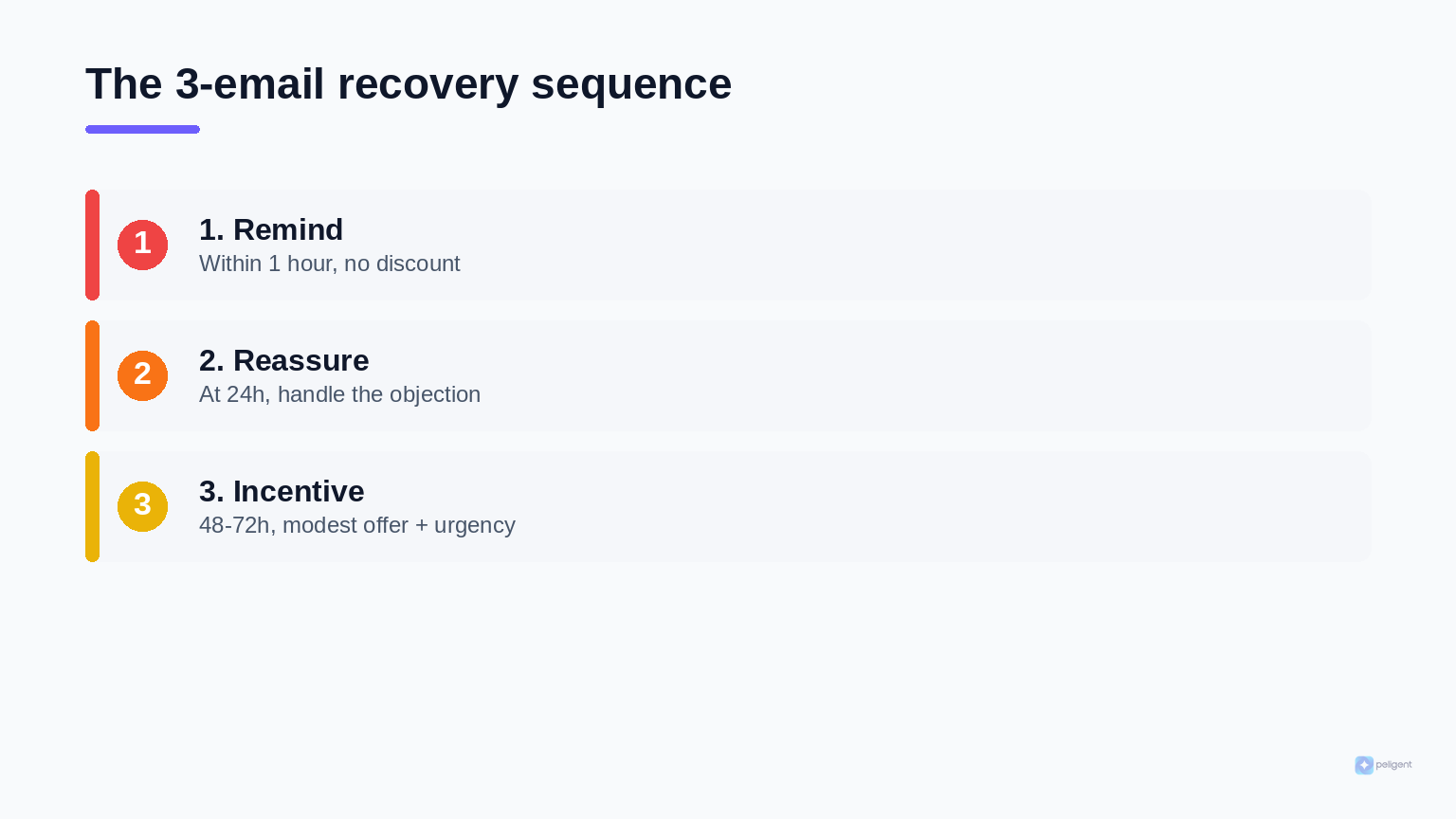
A single reminder leaves money on the table. Data shows that a three email sequence recovers about 69 percent more orders than a single email. The structure below is a reliable starting point.
Email one: the gentle reminder
Send this within one hour of abandonment, while purchase intent is still high and the product is fresh in memory. Keep it simple. Remind them what they left, show the product image, and include a clear button that takes them straight back to their cart. No discount yet, because many shoppers just got distracted and only need a nudge.
Email two: handle the objection
Send this around 24 hours later. Now you address the likely reason they hesitated. Reassure them about shipping, highlight your return policy, add a short customer review, or answer a common question. You are removing doubt, not just repeating the reminder.
Email three: the incentive
Send this 48 to 72 hours after abandonment to shoppers who clicked but still did not buy. This is where a modest discount or free shipping offer earns its keep. Add gentle urgency, such as a code that expires soon, so there is a reason to act now rather than later.
Subject lines that still work in 2026
First name personalization and product specific references continue to outperform generic reminders. A subject that names the exact item left behind beats a vague "you forgot something" every time. One important warning: Gmail and Outlook tightened filtering in 2025 and 2026, and emails that look templated or machine generated get pushed to spam and promotions far more aggressively. Messages that read like a real person wrote them are the ones that land in the primary inbox.
Go multichannel when you can
Email is the backbone, but a layered sequence performs even better. A common high performing setup sends an email at one hour, an SMS nudge at three hours for people who did not open, an email with an incentive at 24 hours, and a final message at 48 hours for shoppers who clicked but did not buy. If you collect phone numbers with consent, SMS recovery can lift results meaningfully.
Fixing the leaks before abandonment happens
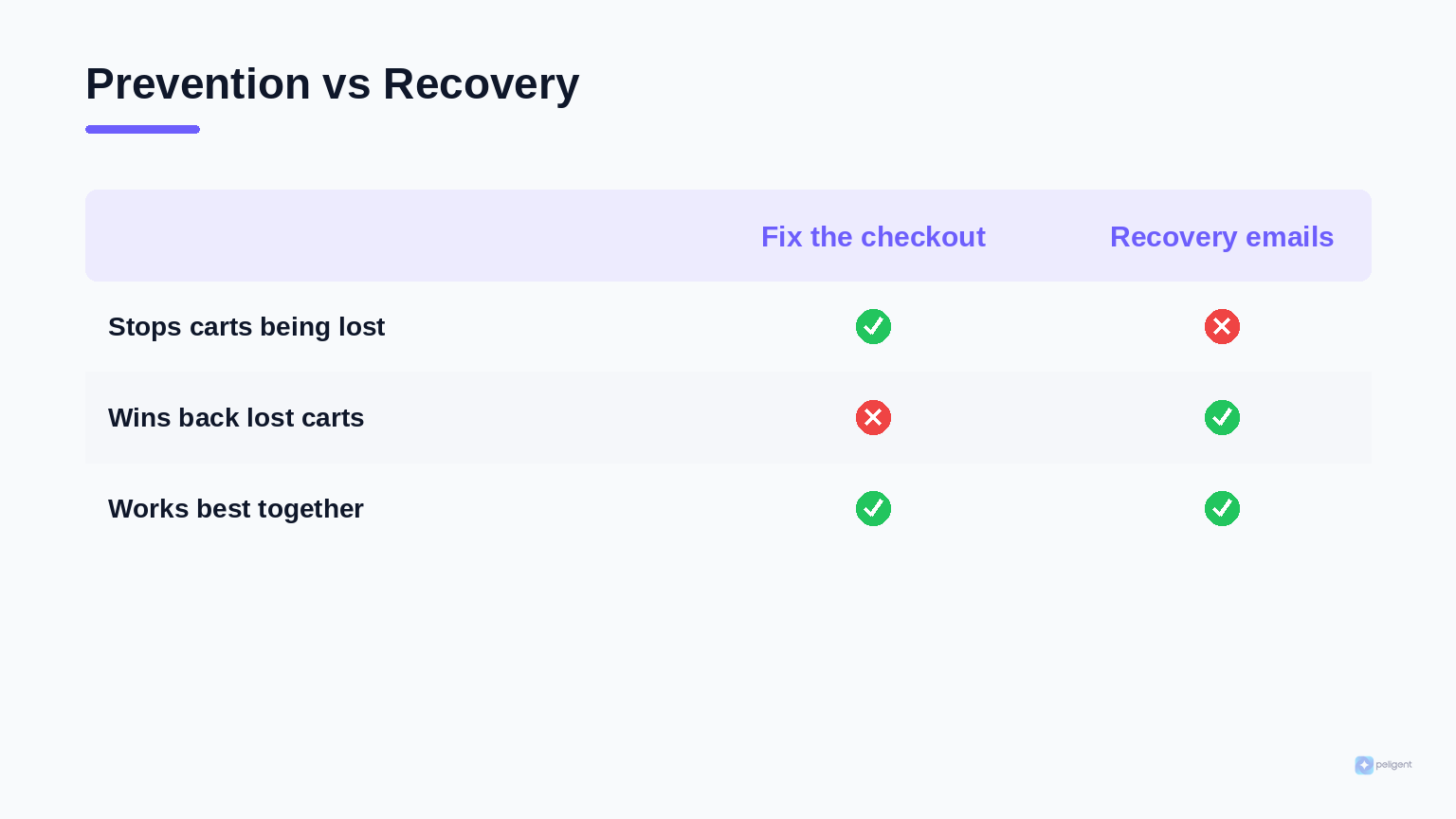
Recovery emails win back lost carts, but the cheaper win is losing fewer carts in the first place. Use the abandonment reasons above as a checklist.
Show total cost early. Display shipping estimates and any fees on the cart page so nothing is a surprise at the final step. Free shipping above a threshold is one of the most effective conversion levers in ecommerce.
Offer real guest checkout. Let people buy without creating an account, then invite them to save their details after the order is placed. You recover the address through email at checkout capture instead of forcing a signup.
Shorten the checkout. Remove fields you do not truly need, enable address autofill, and offer the express payment options shoppers already trust. Fewer steps means fewer chances to lose them.
Make the store fast. A slow checkout bleeds sales, especially on mobile. If your pages drag, work through a proper WordPress speed optimization pass, since every second of delay raises abandonment.
Watch for broken checkouts. Sometimes carts are abandoned because a payment gateway or plugin quietly failed, not because the shopper changed their mind. Keeping an eye on errors through WooCommerce error log monitoring catches the silent failures that no recovery email can fix.
Strengthen your product pages. Clear, persuasive copy reduces hesitation before the cart even forms. If your descriptions are thin, our guide on writing WooCommerce product descriptions that sell walks through the fixes.
How AI changes cart recovery in 2026
Classic recovery tools send the same templated emails to everyone. That is exactly the kind of message inbox providers now filter hardest, and it ignores what each shopper actually left behind. This is where an AI co-pilot for your store changes the math.
Peligent is an AI co-pilot for WordPress and WooCommerce, and it helps on both sides of the abandonment problem. On the recovery side, AI can draft personalized, human sounding recovery emails that reference the exact products in a cart, so your messages land in the primary inbox instead of reading like a template. On the prevention side, AI helps tighten the product pages and store experience that cause hesitation in the first place.
It also connects to the bigger growth picture. Recovered shoppers are repeat buyers in waiting, so cart recovery works best alongside a real retention plan. Our guide to WooCommerce customer retention strategies covers how to turn a one time recovery into a loyal customer, and the broader WooCommerce growth tips playbook puts recovery in context with the rest of your funnel. To understand how AI fits across your whole store, the overview of how AI is changing WooCommerce is a good companion read.
Setting up recovery step by step
Here is a practical path from zero to a working recovery system.
- Choose a recovery method. Pick a dedicated WooCommerce abandoned cart extension or an email platform that integrates with WooCommerce and supports cart tracking.
- Turn on guest capture. Enable email at checkout capture so you do not lose the majority of shoppers who buy without an account, and confirm it respects consent.
- Set your abandonment window. A 15 to 60 minute quiet period is a sensible default for marking a cart abandoned.
- Build the three email sequence. Write the reminder, the objection handler, and the incentive, each with a one click link that restores the cart.
- Personalize and humanize. Reference the exact products, use the shopper first name, and write like a person so the messages clear modern spam filters.
- Fix the obvious leaks. Show shipping costs early, allow guest checkout, and shorten the form so fewer carts are abandoned to begin with.
- Test end to end. Add a product, abandon a test cart, and confirm the emails fire on schedule and the cart link works.
- Measure and refine. Watch recovered revenue and adjust timing, copy, and incentives over time.
Measuring recovery performance
If you do not measure recovery, you cannot improve it. Track a few core numbers. Recovery rate is the share of abandoned carts that turn into orders after your emails. Recovered revenue is the actual money those orders brought in. Email open and click rates tell you whether your subject lines and content are landing. And your overall abandonment rate shows whether your prevention work is reducing leaks at the source.
Pulling these numbers together by hand every week gets old fast. Setting up automated WooCommerce reports means the recovery metrics land in your inbox on a schedule, so you can spot a drop or a win without logging in and digging through dashboards. Pair that visibility with steady tweaks to your sequence, and recovery becomes a compounding source of revenue rather than a set and forget afterthought.
Frequently asked questions
What is a good WooCommerce abandoned cart recovery rate?
Recovery rates vary by store and offer, but a well built three email sequence commonly recovers a meaningful share of abandoned carts, and three email sequences recover about 69 percent more orders than a single email. Focus on improving your own baseline over time rather than chasing a universal number.
Can I recover guest carts in WooCommerce?
Yes. WooCommerce does not capture guest carts by default, but enabling email at checkout capture records the email a guest enters during checkout even if they do not complete the order. That lets you send recovery emails without forcing shoppers to create an account.
When should I send the first recovery email?
Send it within one hour of abandonment. Purchase intent is highest and the product is freshest in the shopper memory during that window, which is why early emails outperform ones sent a day later.
Should recovery emails include a discount?
Not in the first email. Many shoppers only got distracted and will return with a simple reminder, so leading with a discount trains people to abandon carts on purpose. Save the incentive for the third email, aimed at shoppers who showed interest but still have not bought.
Why do my recovery emails land in spam or the promotions tab?
Gmail and Outlook tightened filtering in 2025 and 2026 and push templated, machine generated looking emails out of the primary inbox. Personalized messages that reference the exact cart and read like a real person wrote them are far more likely to be delivered and opened.
Do I still need recovery emails if I fix my checkout?
Yes. Fixing checkout friction lowers your abandonment rate, but no store gets to zero, and a large share of shoppers abandon simply because they were not ready to buy yet. Recovery emails bring back the carts that prevention alone cannot save.
The takeaway
Abandoned carts are not a sign that something is broken. They are a normal part of how people shop, and they are one of the best growth opportunities you have. Capture the carts you are currently losing, follow up with a short, human, well timed sequence, and fix the friction that pushes shoppers away in the first place. Add AI to write messages that actually reach the inbox and to keep your store experience sharp, and recovery quietly becomes one of the most profitable systems running in your business.
Written by
Wana DaliriAI content writer at Peligent. Covering WordPress, WooCommerce, and AI for e-commerce.
Enjoyed this article?
Subscribe to get more WooCommerce insights delivered to your inbox.
Related Articles
View all
WooCommerce Product Recommendations: How AI Personalizes Every Visit
Default related products only match tags. See how AI product recommendations use real shopper behavior to lift conversions, order value, and revenue.
WooCommerce AEO: How to Get Your Products Recommended by AI
Answer engine optimization for WooCommerce: how to get your products cited and recommended by ChatGPT, Perplexity, and Google AI Overviews in 2026.

WooCommerce CSV Import: How to Bulk Upload Products Without the Headaches
A practical 2026 guide to importing WooCommerce products from a CSV file, fixing the errors that break most imports, and cleaning up your catalog with AI.