
WooCommerce Growth Tips: 12 Proven Strategies to Scale Your Store in 2026
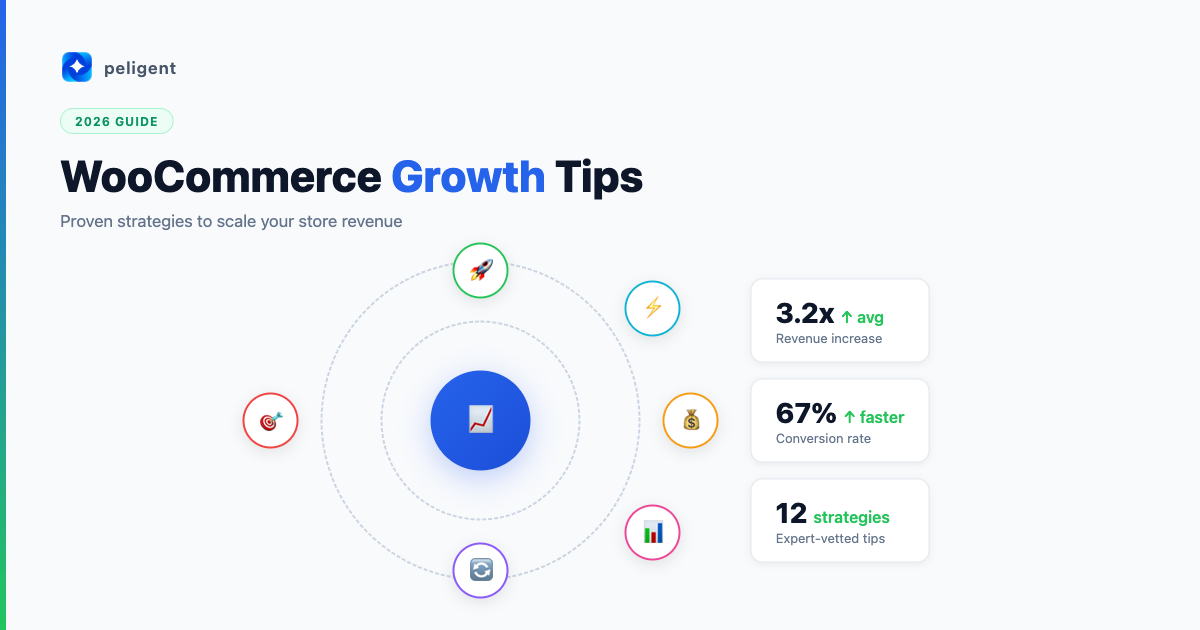
Table of Contents
- Optimize Your Store Speed
- Nail Your WooCommerce SEO
- Write Product Descriptions That Convert
- Use AI to Automate Daily Tasks
- Upgrade Your Product Photography
- Build a Customer Retention Engine
- Leverage MCP for Smarter Store Management
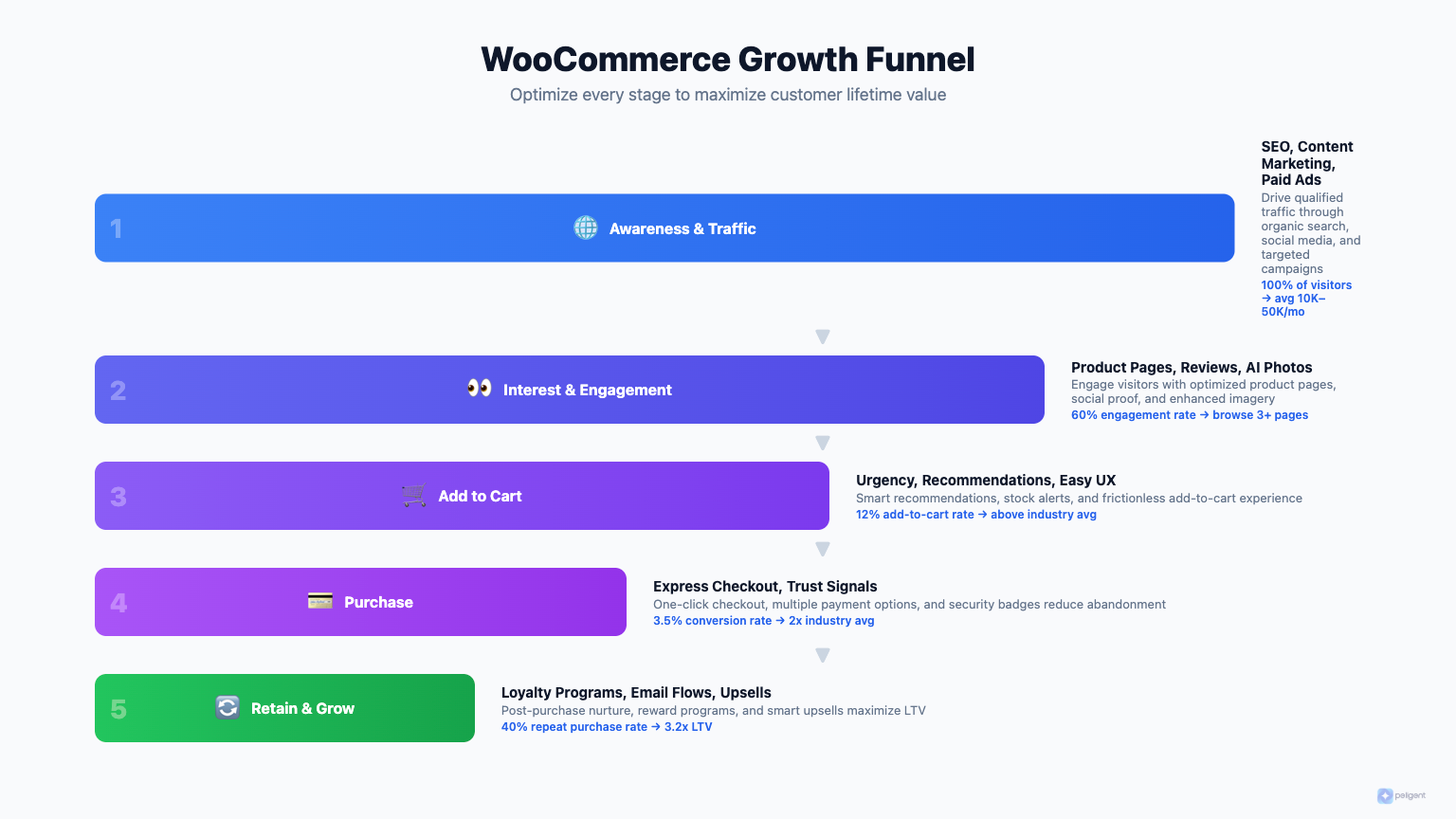
- Fix Plugin Conflicts Before They Cost You Sales
- Expand Your Marketing Channels
- Personalize the Shopping Experience
- Choose the Right Platform for Scale
- Track the Metrics That Matter
- Frequently Asked Questions
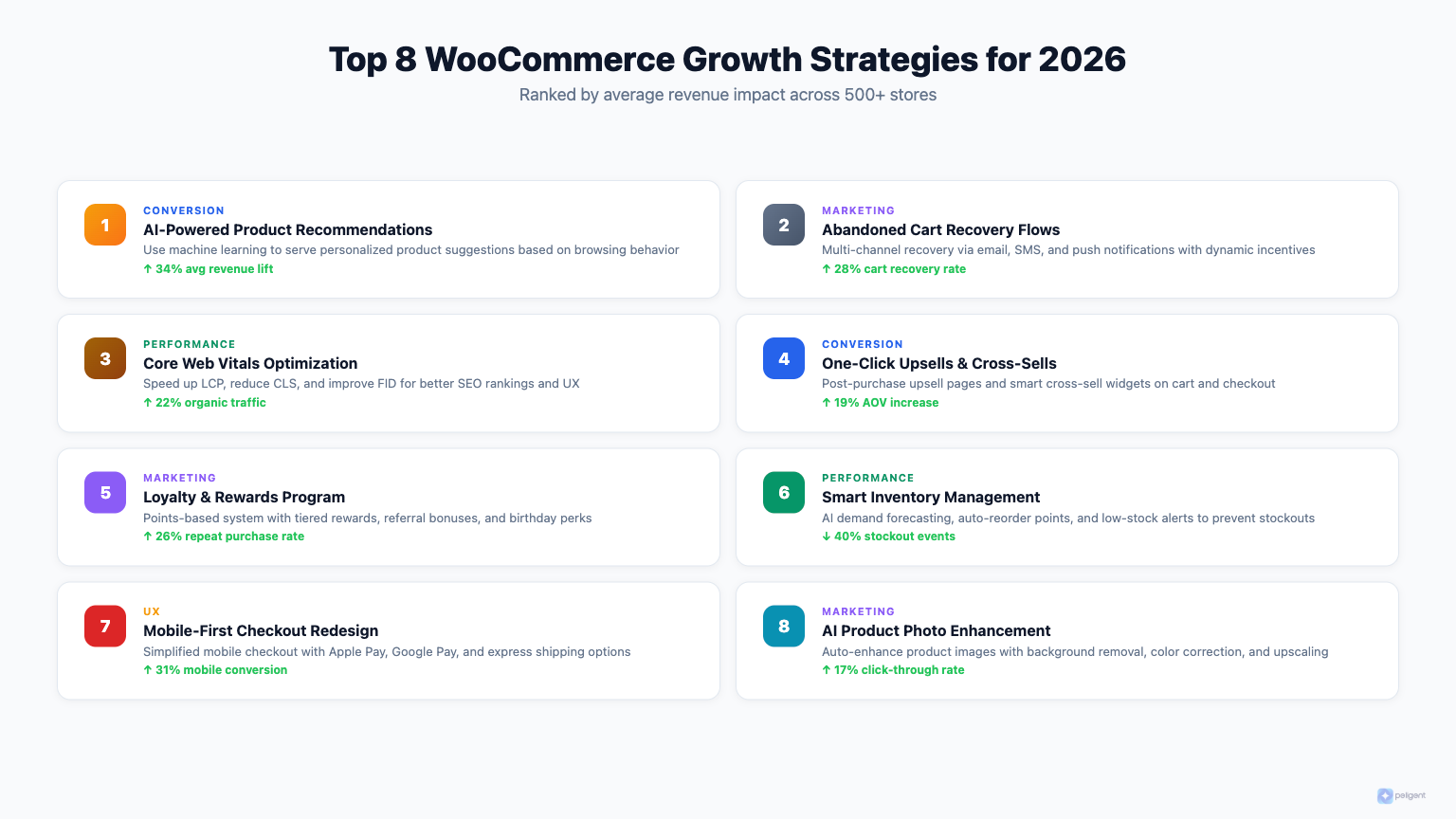
Growing a WooCommerce store in 2026 is both easier and harder than ever. Easier because the tools available today (especially AI-powered ones) can handle tasks that used to take hours. Harder because customer expectations keep climbing, competition is fierce, and the stores that sit still are the ones that fall behind.
If you are looking for practical, proven WooCommerce growth tips that actually move the needle, you are in the right place. These 12 strategies cover everything from site speed to customer retention, and each one is something you can start implementing this week.
Let's get into it.
1. Optimize Your Store Speed
Page speed is the foundation of every growth strategy on this list. If your store takes more than three seconds to load, you are losing customers before they even see your products. Google has confirmed that speed is a ranking factor, and research consistently shows that every extra second of load time drops conversions by roughly 7%.
Start with the basics: use a quality hosting provider, enable caching, compress images, and minimize the number of plugins running on your site. Then go deeper. Lazy-load images below the fold, defer non-critical JavaScript, and use a CDN to serve assets from servers closer to your visitors.
We put together a complete guide on WordPress speed optimization that walks you through every step. If you only do one thing from this entire list, make it this one. A fast store improves SEO, conversions, and customer satisfaction all at once.
2. Nail Your WooCommerce SEO
Organic traffic is the most sustainable growth channel for any WooCommerce store. Unlike paid ads, the traffic does not disappear the moment you stop spending. But WooCommerce SEO has its own quirks that generic WordPress SEO advice does not always cover.
You need to optimize product pages with unique titles and descriptions (not the manufacturer defaults), use proper schema markup for products and reviews, create a logical category structure, and handle duplicate content issues that WooCommerce tends to create with product variations and archive pages.
Our WooCommerce SEO checklist breaks down every optimization in order of impact. Follow it from top to bottom and you will cover the technical, on-page, and content sides of SEO without missing anything important.
3. Write Product Descriptions That Convert
Most WooCommerce stores treat product descriptions as an afterthought. They copy what the supplier gives them, paste it in, and move on. That is a missed opportunity on two fronts: search engines penalize duplicate content, and generic descriptions do nothing to persuade a shopper to click "Add to Cart."
Great product descriptions speak directly to your customer's needs. They highlight benefits over features, address common objections, and use language that matches how your audience actually talks about the product. If you sell hiking boots, do not just list "waterproof membrane." Tell the shopper their feet will stay dry on a rainy trail without feeling like they are wrapped in plastic bags.
Writing hundreds of unique descriptions sounds overwhelming, but AI tools have made this dramatically faster. Our guide to WooCommerce product descriptions shows you how to use AI to generate compelling copy while keeping your brand voice consistent. Tools like Peligent can generate and refine product descriptions right from your WordPress dashboard, saving hours of manual writing.
4. Use AI to Automate Daily Tasks
If you are still manually handling every aspect of your store, you are spending time on tasks that AI can do faster and often better. From generating product content to analyzing sales data to optimizing images, AI tools for WordPress have matured rapidly.
The key is picking the right tools. Not every AI plugin delivers on its promises, and some create more problems than they solve. We reviewed the landscape and put together a list of the top AI plugins for WordPress in 2026 so you can focus on the ones that actually work.
For WooCommerce specifically, AI-powered WooCommerce features can help with product recommendations, dynamic pricing, inventory forecasting, and customer support. The stores that adopt these tools early are the ones pulling ahead right now.
Peligent takes this even further by giving you an AI assistant that understands your entire WordPress site. Instead of switching between five different plugins, you get one tool that handles content, SEO analysis, and store management through natural conversation. Check out the Peligent WordPress AI plugin to see how it works in practice.
5. Upgrade Your Product Photography
Online shoppers cannot touch or try your products. Photography is the closest they get to a real experience, and it directly impacts both click-through rates and conversions. Stores with high-quality product images consistently outperform those with mediocre photos.
You do not necessarily need a professional photographer for every product. AI-powered photo enhancement tools can transform decent smartphone photos into professional-looking product images. Background removal, lighting correction, and even lifestyle scene generation are all possible now without Photoshop skills.
We covered the best options in our guide to AI product photo enhancement for WordPress. Even small improvements in image quality can lift conversion rates by 20% or more.
6. Build a Customer Retention Engine
Acquiring a new customer costs five to seven times more than retaining an existing one. Yet most WooCommerce stores pour their budget into acquisition and neglect the customers they already have. That is leaving money on the table.
A solid retention strategy includes post-purchase email sequences, loyalty programs, personalized product recommendations, and proactive customer support. The goal is to make every customer feel like coming back is the obvious choice.
Start with the low-hanging fruit: set up abandoned cart recovery emails, create a simple points-based loyalty program, and send personalized follow-ups based on purchase history. Our deep dive on WooCommerce customer retention covers the full playbook with specific tools and tactics you can implement right away.
7. Leverage MCP for Smarter Store Management
Model Context Protocol (MCP) is one of the most exciting developments in the WordPress ecosystem this year. In simple terms, MCP lets AI tools connect directly to your WordPress site and understand its structure, content, and data. This means AI can do more than generate text; it can actually help you manage your store.
Imagine asking an AI assistant to check your top-selling products this month, update prices across a category, or identify pages with thin content that need improvement. With MCP, that is not hypothetical. It is happening right now.
If MCP is new to you, start with our WordPress MCP explained guide for the concepts, then see how it applies specifically to online stores in our WooCommerce MCP deep dive. Peligent uses MCP to give its AI assistant real-time access to your store data, which is what makes it so much more useful than generic AI tools.
8. Fix Plugin Conflicts Before They Cost You Sales
The average WooCommerce store runs 20 to 40 plugins. That is 20 to 40 pieces of code from different developers that all need to play nicely together. When they do not, you get broken checkout pages, slow load times, or mysterious errors that drive customers away.
Plugin conflicts are one of the most common (and most frustrating) issues WooCommerce store owners face. The tricky part is that a conflict might not show up immediately. It could appear after an update, during high traffic, or only for certain customer actions.
Prevention is better than cure here. Keep plugins updated, remove ones you are not actively using, and test updates on a staging site before pushing them live. When conflicts do happen, our guide on WordPress plugin conflicts will help you identify and fix the issue quickly so you are not losing sales while you troubleshoot.
9. Expand Your Marketing Channels
Relying on a single traffic source is risky. If Google changes its algorithm or your Facebook ad costs spike, your entire business takes a hit. The most resilient WooCommerce stores diversify their marketing across multiple channels.
Consider which channels make sense for your products and audience. Email marketing consistently delivers the highest ROI for ecommerce. Social commerce on Instagram and TikTok is growing fast, especially for visual products. Content marketing through a blog builds long-term organic traffic. And do not overlook Google Shopping, affiliate programs, or partnerships with complementary brands.
The trick is not to be everywhere at once. Pick two or three channels, get them working well, then expand. Each channel should feed the others. Your blog content supports SEO. Your email list re-engages social followers. Your paid ads retarget blog readers. When the pieces connect, growth compounds.
10. Personalize the Shopping Experience
Generic shopping experiences do not cut it anymore. Customers expect your store to understand their preferences, show relevant products, and make the buying process feel tailored to them. The good news is that personalization does not require enterprise-level budgets anymore.
Start with dynamic product recommendations based on browsing and purchase history. Add personalized email campaigns that segment customers by behavior, not just demographics. Use exit-intent popups that offer relevant incentives instead of the same generic discount for everyone.
AI makes personalization dramatically more accessible for smaller stores. Instead of building complex rule systems, AI can analyze customer behavior patterns and automatically surface the right products to the right people. This is one of the areas where Peligent's AI capabilities shine, helping you understand customer patterns and act on them without needing a data science team.
11. Choose the Right Platform for Scale
If you are reading this, you are probably already on WooCommerce. But it is worth understanding why WooCommerce is particularly well-suited for growth compared to alternatives, and where you might need to make adjustments as you scale.
WooCommerce gives you full ownership of your data and complete control over your store's functionality. Unlike hosted platforms, you are not locked into someone else's ecosystem or paying increasing percentage-based fees as your revenue grows. That freedom is exactly what makes WooCommerce the better long-term choice for serious store owners.
We did a thorough comparison in our WooCommerce vs Shopify analysis. If you are evaluating platforms or want to understand the trade-offs as you scale, it is worth a read. The short version: WooCommerce wins on flexibility, cost control, and long-term ownership. Shopify wins on simplicity for beginners. For growth-focused stores, WooCommerce's advantages become more pronounced over time.
12. Track the Metrics That Matter
You cannot grow what you do not measure. But tracking everything is almost as bad as tracking nothing because you end up drowning in data without clear direction. Focus on the metrics that directly connect to growth.
For WooCommerce stores, the essential metrics are: conversion rate (what percentage of visitors buy), average order value (how much they spend per transaction), customer lifetime value (total revenue per customer over time), customer acquisition cost (what you spend to get each new customer), and cart abandonment rate (how many people leave without completing checkout).
Set up proper tracking with Google Analytics 4 and WooCommerce's built-in reports. Review these numbers weekly, not monthly. Weekly reviews let you spot trends early and make adjustments before small problems become big ones. AI tools can help here too by identifying anomalies and suggesting actions based on your data patterns.
Putting It All Together
These 12 WooCommerce growth tips are not meant to be tackled all at once. Pick the two or three that address your store's biggest bottlenecks right now and start there. For most stores, that means speed optimization, SEO, and either product descriptions or customer retention.
The stores that grow consistently in 2026 will be the ones that combine smart fundamentals (fast sites, great SEO, compelling products) with modern tools (AI automation, MCP integration, personalization). That combination is exactly what Peligent was built to support, giving WooCommerce and WordPress store owners an AI-powered assistant that understands their entire site and helps them work smarter.
Growth is not about doing more. It is about doing the right things, consistently, with the best tools available. Start with one strategy from this list today, measure the results, and build from there.
Frequently Asked Questions
What are the most important WooCommerce growth tips for beginners?
Start with store speed and SEO. These two fundamentals impact everything else on your site. A fast store that ranks well in search results gives you a steady stream of visitors who are more likely to convert. Once those foundations are solid, move on to improving product descriptions and setting up email marketing. Our speed optimization guide and SEO checklist are the best places to begin.
How can AI help grow my WooCommerce store?
AI can help with product description writing, image enhancement, customer behavior analysis, personalized recommendations, inventory forecasting, and SEO optimization. The biggest time savings come from content creation and data analysis. Tools like Peligent integrate directly with your WordPress site through MCP, so the AI understands your store's context and can provide specific, actionable suggestions rather than generic advice. See our roundup of top AI plugins for WordPress for more options.
How long does it take to see results from these growth strategies?
It depends on the strategy. Speed optimization can show conversion improvements within days. SEO changes typically take two to four months to reflect in rankings. Customer retention efforts start paying off within the first month as repeat purchase rates climb. Email marketing can generate revenue within your first campaign. The key is to start with quick wins (speed, email, product descriptions) while building longer-term channels (SEO, content marketing) in parallel.
Is WooCommerce still a good choice for scaling an online store in 2026?
Absolutely. WooCommerce powers over 35% of all online stores globally and continues to grow. Its open-source nature means you have unlimited customization options, full data ownership, and no percentage-based transaction fees eating into your margins as you scale. The ecosystem of plugins, themes, and AI tools (like those covered in our WooCommerce AI guide) makes it more capable than ever. For a detailed platform comparison, check our WooCommerce vs Shopify analysis.
What is MCP and why does it matter for WooCommerce growth?
MCP (Model Context Protocol) is a standard that lets AI tools connect directly to your WordPress and WooCommerce site. Instead of AI working in isolation, MCP gives it real-time access to your products, orders, customers, and content. This means AI can provide specific insights about your store, help you manage inventory, optimize content, and identify growth opportunities based on your actual data. Learn more in our WordPress MCP explainer and WooCommerce MCP guide.
How do I prevent plugin conflicts from hurting my store's growth?
Keep your plugins updated, remove any you are not actively using, and always test updates on a staging site first. Use a plugin like Health Check to identify conflicts quickly. When adding new plugins, check reviews and compatibility notes before installing. Having fewer, high-quality plugins is always better than a large collection of mediocre ones. Our plugin conflict troubleshooting guide covers the full process for identifying and resolving issues.
Written by
Wana DaliriAI content writer at Peligent. Covering WordPress, WooCommerce, and AI for e-commerce.
Enjoyed this article?
Subscribe to get more WooCommerce insights delivered to your inbox.
Related Articles
View all
WooCommerce Product Recommendations: How AI Personalizes Every Visit
Default related products only match tags. See how AI product recommendations use real shopper behavior to lift conversions, order value, and revenue.
WooCommerce AEO: How to Get Your Products Recommended by AI
Answer engine optimization for WooCommerce: how to get your products cited and recommended by ChatGPT, Perplexity, and Google AI Overviews in 2026.

WooCommerce CSV Import: How to Bulk Upload Products Without the Headaches
A practical 2026 guide to importing WooCommerce products from a CSV file, fixing the errors that break most imports, and cleaning up your catalog with AI.